


Introduction – Why This Matters
In my experience, there’s a moment of truth in every SEO journey. You’ve devoured the fundamentals. You’ve mastered keyword research. You’ve optimized every page using the on-page SEO checklist. You’ve fixed your site’s technical health with the technical SEO guide. You’ve even started building backlinks and focused on E-E-A-T. You’ve put in the work. And now you’re staring at your website, waiting. Waiting for the traffic to come. Waiting for the rankings to improve. Waiting for something to tell you that it’s all working.
What I’ve found is that this waiting period is where most beginners lose their way. They don’t know what to look for, what metrics actually matter, or how to tell if they’re making progress. They might see a dip in traffic and panic, not realizing it’s a normal seasonal fluctuation. Or they might focus on the wrong metric—like ranking for a keyword that drives no real business value—and think they’re succeeding when they’re not.
Here’s the reality: SEO without measurement is like driving with your eyes closed. You might be moving, but you have no idea where you’re going or if you’re about to crash into a wall. Measurement is your dashboard. It tells you your speed (traffic), your direction (rankings), your fuel efficiency (engagement), and whether you’re actually getting to your destination (conversions and ROI).
In 2026, with search becoming more complex and AI-driven, measurement is more important than ever. You need to understand not just how much traffic you’re getting, but where it’s coming from, what people do when they arrive, and whether your SEO efforts are contributing to your bottom line. This guide will teach you exactly how to do that.
We’ll cover everything from the essential free tools you need to set up, to the key metrics you should track, to how to calculate the ROI of your SEO work. By the end, you’ll have a complete measurement framework that turns SEO from a guessing game into a data-driven discipline.
Background / Context
To understand SEO measurement, we need to look at how it has evolved. In the early days of SEO, measurement was simple: you checked your ranking for a few keywords. If you were #1, you were winning. If you dropped, you were losing. That was it.
But as search became more sophisticated, so did measurement. Google introduced tools like Google Analytics (in 2005) and Google Search Console (originally as Webmaster Tools in 2006), giving site owners unprecedented insight into their traffic and search performance. Suddenly, you could see not just where you ranked, but how many people clicked on your listing, what they did on your site, and whether they became customers.
Today, in 2026, we have an abundance of data. The challenge is no longer getting data—it’s making sense of it. Google Analytics 4 (GA4) provides event-based tracking that gives a much more nuanced view of user behavior. Google Search Console offers detailed reports on your site’s performance in search. And countless third-party tools provide additional layers of data on rankings, backlinks, and competitor activity.
The key skill for modern SEO professionals is not just collecting data, but interpreting it. You need to understand which metrics are leading indicators (showing future performance) and which are lagging indicators (showing past performance). You need to be able to spot trends, diagnose problems, and communicate your results to stakeholders who may not be familiar with SEO.
Measurement is also how you justify the investment in SEO. Whether you’re working for yourself, for a client, or within an organization, you need to be able to show that your efforts are producing a return. This means connecting SEO activities to business outcomes like leads, sales, and revenue.
Key Concepts Defined
Before we dive into the tools and metrics, let’s establish the key vocabulary of SEO measurement.
- Google Analytics 4 (GA4) : Google’s latest version of its analytics platform. It uses an event-based model, meaning it tracks specific user interactions (events) rather than just pageviews. It’s the primary tool for understanding what users do on your website.
- Google Search Console (GSC) : A free tool from Google that helps you monitor and maintain your site’s presence in search results. It shows you which queries bring users to your site, your click-through rates, your average position, and any technical issues Google encounters.
- Organic Traffic: Visitors who come to your website from unpaid search engine results. This is the primary metric for measuring the success of your SEO efforts.
- Impressions: The number of times a link to your site appeared in search results for a user. A high number of impressions means you’re visible, even if users aren’t clicking.
- Clicks: The number of times users actually clicked on your link in search results. This is a more valuable metric than impressions because it represents actual visits.
- Click-Through Rate (CTR) : The percentage of impressions that resulted in a click. Calculated as (Clicks / Impressions) × 100. A higher CTR means your title and meta description are compelling to searchers.
- Average Position: The average ranking of your site for a given query or set of queries. Position 1 is the top result. Keep in mind that average position can be misleading because it averages across many queries and devices.
- Bounce Rate: The percentage of single-page sessions where a user left your site without interacting further. In GA4, this is often replaced by “engaged sessions,” but the concept remains important. A high bounce rate might indicate that your content isn’t matching user intent.
- Engagement Rate: In GA4, the percentage of sessions that lasted longer than 10 seconds, had a conversion event, or had at least 2 pageviews. This is a better metric than bounce rate for understanding if users find your content valuable.
- Conversion: Any desired action a user takes on your website. This could be a purchase, a newsletter signup, a form submission, a phone call, or any other goal you define. Conversions are how you connect SEO to business value.
- Conversion Rate: The percentage of visitors who complete a desired conversion. Calculated as (Conversions / Total Visitors) × 100.
- Return on Investment (ROI) : The financial return you get from your SEO investment. Calculated as (Revenue from SEO – Cost of SEO) / Cost of SEO. This is the ultimate metric for proving the value of your work.
- Key Performance Indicator (KPI) : A measurable value that demonstrates how effectively you’re achieving key business objectives. Your KPIs should be specific to your goals. For an e-commerce site, a KPI might be “revenue from organic traffic.” For a blog, it might be “organic newsletter signups.”
- Attribution: The process of assigning credit for a conversion to different marketing channels. For example, a user might find you through organic search, leave, come back later via a social media ad, and then make a purchase. Attribution models help you understand the role each channel played.
- Search Intent Metrics: Metrics that help you understand why users are coming to your site. This includes analyzing the queries they use, the content they engage with, and what they do after arriving.
How It Works (Step-by-Step Breakdown)
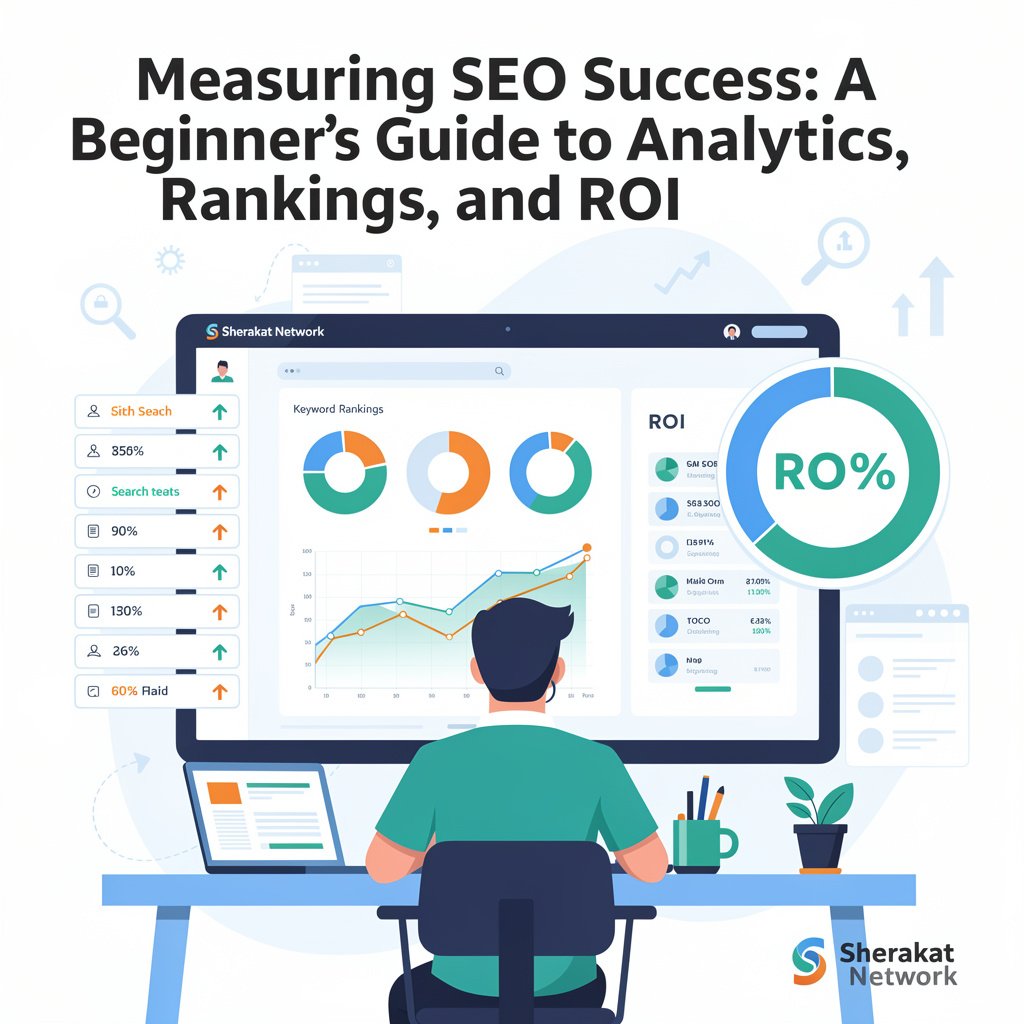
Measuring SEO success isn’t about checking a single number. It’s about setting up a system that gives you a complete picture of your performance. Here’s a step-by-step breakdown.
Step 1: Set Up Your Measurement Tools Properly
Before you can measure anything, you need the right tools installed and configured correctly. This is the foundation of all SEO measurement.
Essential tools:
- Google Analytics 4 (GA4) : This is non-negotiable. Install the GA4 tracking code on every page of your website. If you’re using a CMS like WordPress, plugins like Site Kit by Google or MonsterInsights can simplify this process. Once installed, verify that data is flowing by checking the real-time report.
- Google Search Console (GSC) : Verify ownership of your website in GSC. This is a separate setup from GA4, but the two tools can be linked for even more powerful insights. Submit your sitemap (as covered in our technical SEO guide) to help Google discover your pages.
- Link GA4 and GSC: In GA4, go to Admin > Product Links > Search Console Links and link your GSC property. This will bring search query data directly into your GA4 reports, allowing you to see which queries drive traffic and how those users behave on your site.
Optional but valuable tools:
- Rank tracking tool: Tools like Ahrefs, SEMrush, or AccuRanker can track your rankings for specific keywords over time. While GSC provides average position data, these tools give you more precise, daily ranking information.
- Backlink monitoring tool: Tools like Ahrefs or Moz can alert you when you gain or lose backlinks, which is essential for tracking your link building progress.
- Heat mapping tools: Tools like Hotjar or Crazy Egg show you where users click, scroll, and spend time on your pages, providing insights into user behavior that pure analytics can’t capture.
Step 2: Define Your Goals and KPIs
Data without goals is just noise. Before you start looking at numbers, you need to define what success looks like for your specific website.
Ask yourself:
- What is the primary purpose of my website? (E-commerce, lead generation, content monetization, brand awareness?)
- What actions do I want users to take? (Buy a product, fill out a contact form, sign up for a newsletter, call a phone number?)
- How does SEO contribute to my overall business objectives?
Set up conversion tracking in GA4:
Once you’ve defined your goals, set them up as conversions in GA4. This might include:
- E-commerce purchases: If you sell products, enable e-commerce tracking.
- Form submissions: Track thank-you pages or set up event tracking for form completions.
- Newsletter signups: Track successful signup confirmations.
- Phone calls: If phone calls are important, consider a call tracking service or track clicks on phone number links.
- Engaged sessions: GA4 automatically tracks engaged sessions (sessions that last >10 seconds, have a conversion, or have 2+ pageviews). This can be a good proxy for content engagement.
Step 3: Establish a Baseline
Before you can measure progress, you need to know where you’re starting from. Take a snapshot of your key metrics. This baseline will be your reference point for measuring improvement.
Baseline metrics to capture:
- Total organic traffic (last 30 days vs. previous period)
- Top landing pages by organic traffic
- Top search queries driving traffic (from GSC)
- Average CTR and position for your key queries
- Current conversion rate from organic traffic
- Current number of backlinks and referring domains (from a tool like Ahrefs)
Pro tip from experience: Don’t just capture one day’s data. Look at trends over the last 3-6 months to understand seasonal patterns. A dip in traffic might be normal for your industry in certain months, not a sign of failure.
Step 4: Monitor Your Core Metrics Regularly
Now you’re ready to start monitoring. But with so much data available, it’s easy to get overwhelmed. Focus on a core set of metrics that matter for your goals.
For all websites, monitor these regularly:
- Organic Traffic Trend: Is your organic traffic growing over time? Look at the trend line, not daily fluctuations. In GA4, go to Reports > Acquisition > Traffic Acquisition and filter by “Organic Search.”
- Top Landing Pages: Which pages are attracting the most organic traffic? Are they the pages you intended to rank? In GA4, go to Reports > Engagement > Landing Pages and add the “Session source / medium” filter for “organic.”
- Search Query Performance: In GSC (or in GA4 if linked), review which queries are driving impressions and clicks. Are you ranking for the right terms? Are your keyword research efforts paying off? Look for queries with high impressions but low CTR—these are opportunities to improve your title tags and meta descriptions.
- Average Position and CTR: Track your average position for key queries. But remember, position isn’t everything. A move from position 5 to 4 is good, but a move from position 2 to 1 can double your traffic. CTR is often more important than a small position change.
- Engagement Metrics: In GA4, look at “Average engagement time” and “Engaged sessions” for your organic traffic. Are users actually reading your content? A high bounce rate with low engagement time suggests a mismatch between the query and your content.
- Conversion Metrics: Track conversions and conversion rate from organic traffic. This is your bottom line. If traffic is growing but conversions aren’t, you may be attracting the wrong audience or have issues with your conversion funnel.
- Backlink Growth: Monitor new and lost backlinks. Are your link building efforts paying off? A steady increase in quality backlinks is a strong leading indicator of future ranking improvements.
Step 5: Analyze and Diagnose
Monitoring tells you what is happening. Analysis tells you why. When you see changes in your metrics, dig deeper to understand the cause.
Common scenarios and how to diagnose them:
- Traffic drop: Check GSC for manual actions or security issues. Look at the queries that dropped—is it specific pages or topics? Check if Google’s algorithm updated around that time. Look at your competitors—did they publish something new? Check your own site for technical issues (were pages accidentally noindexed?).
- Rankings drop for specific keywords: Look at the search results themselves. Has Google changed the SERP layout (e.g., added a featured snippet or “People also ask” box that’s pushing organic results down)? Have competitors published better content? Is your content outdated?
- Traffic increase but low conversions: Look at the queries driving the traffic. Are they informational (people looking to learn) rather than commercial (people looking to buy)? You may be attracting the wrong audience. Consider adjusting your content strategy or adding clearer calls-to-action to guide informational visitors toward conversion.
- High impressions but low CTR: Your title tags and meta descriptions aren’t compelling enough. Review them against the top-ranking results. Are they clearly communicating value? Do they include the target keyword and a reason to click?
Step 6: Report on Progress
Whether you’re reporting to yourself, a boss, or a client, regular reporting helps you stay focused and demonstrate value.
What to include in a monthly SEO report:
- Executive summary: 2-3 sentences on overall progress and key wins.
- Organic traffic trend: Chart showing month-over-month and year-over-year growth.
- Top performing pages: Which content is driving the most traffic and value.
- Keyword performance: Movement for key target keywords (especially those from your keyword research).
- Conversion data: Organic conversions and conversion rate, tied to business value (e.g., revenue, leads).
- Technical health: Key issues from GSC (crawl errors, mobile usability) and their status.
- Link building progress: New backlinks earned.
- Key actions taken: What you did during the month (content updates, outreach, technical fixes).
- Priorities for next month: What you’ll focus on next.
Pro tip: Don’t just report data. Tell a story. Explain what the data means, why it matters, and what you’re doing about it.
Step 7: Calculate ROI
For many site owners and stakeholders, this is the most important question: “Is SEO worth the investment?” Calculating ROI answers that question.
How to calculate SEO ROI:
- Track your investment (costs) : Include:
- Hours spent on SEO (your time × hourly rate)
- Tool costs (Ahrefs, SEMrush, etc.)
- Content creation costs (freelancers, writers, designers)
- Any outsourced SEO services
- Track your returns (revenue) : This requires setting up conversion tracking properly. For e-commerce sites, you can directly attribute revenue to organic traffic. For lead generation sites, you need to assign a value to each lead (e.g., if 10 leads typically result in 1 sale worth $1,000, each lead is worth $100).
- Calculate ROI:
- ROI = (Revenue from SEO – Cost of SEO) / Cost of SEO × 100%
Example:
- Monthly SEO investment: $2,000 (tools + time)
- Monthly revenue from organic traffic: $8,000
- ROI = ($8,000 – $2,000) / $2,000 × 100% = 300%
A 300% ROI means for every $1 you spend on SEO, you get $3 back. That’s an excellent return.
Important note: SEO is a long-term investment. Don’t expect positive ROI in the first few months. Track ROI over 6-12 month periods for a more accurate picture.
Why It’s Important
Measurement is not just about proving success—it’s about enabling it. Here’s why it’s essential.
- It Guides Your Decisions: Without data, you’re guessing. Measurement tells you what’s working and what isn’t. Should you write more content like Page A, or less like Page B? Should you focus on technical fixes or link building? The data has the answers.
- It Justifies Continued Investment: SEO takes time and often money. If you can’t demonstrate that your efforts are producing results, it’s hard to justify continuing. Measurement gives you the evidence you need to secure buy-in from stakeholders, clients, or yourself.
- It Helps You Catch Problems Early: A sudden drop in traffic or rankings is a warning sign. With proper measurement, you can catch these issues early, diagnose the cause, and fix them before they cause lasting damage.
- It Keeps You Focused: It’s easy to get distracted by shiny new SEO tactics or to worry about metrics that don’t matter. Measurement keeps you focused on the metrics that actually drive business value.
- It Demonstrates the Value of SEO: SEO is often misunderstood as “just getting to the top of Google.” Measurement shows the full picture: how SEO attracts qualified visitors, engages them with your content, and ultimately drives conversions and revenue. This elevates SEO from a technical tactic to a core business strategy.
Sustainability in the Future
As SEO evolves, so will measurement. Here’s what the future looks like.
- Privacy-First Analytics: With increasing privacy regulations (like GDPR and CCPA) and the phasing out of third-party cookies, measurement is becoming more challenging. Google Analytics 4 is designed with privacy in mind, using machine learning to fill in data gaps where user consent is lacking. Sustainable measurement means adapting to this privacy-first world.
- AI-Powered Insights: Analytics tools are increasingly using AI to surface insights automatically. Instead of you having to dig through data to find patterns, tools will alert you to anomalies, opportunities, and predictions. The skill will shift from finding insights to interpreting and acting on them.
- Integration of Search and Experience Data: The line between SEO and user experience is blurring. Future measurement will integrate search data (how users find you) with experience data (what they do on your site) more seamlessly, giving a complete picture of the customer journey.
- Attribution Across Channels: Users rarely convert on their first visit. They might find you through search, leave, come back via social media, and then convert after an email. Sustainable measurement means understanding this multi-channel journey and giving appropriate credit to each touchpoint.
Common Misconceptions
Let’s clear up some myths that can lead beginners astray.
- Myth: “Rankings are the only metric that matters.”
- Reality: Rankings are a means to an end, not the end itself. You can rank #1 for a keyword that no one searches for, or that attracts the wrong audience. Traffic, engagement, and conversions are much more important than rankings alone.
- Myth: “More traffic is always better.”
- Reality: Traffic quality matters as much as quantity. 1,000 visitors who bounce immediately are less valuable than 100 visitors who read your content, sign up for your newsletter, and become customers. Focus on attracting the right traffic.
- Myth: “I can look at data once a month and be fine.”
- Reality: SEO moves fast. A weekly (or even daily for some metrics) check-in helps you catch problems early and spot opportunities quickly. Monthly deep dives are great for trends, but don’t neglect regular monitoring.
- Myth: “Google Analytics gives me all the data I need.”
- Reality: GA4 is essential, but it doesn’t tell you everything. You need Google Search Console for search-specific data, rank trackers for precise position data, and backlink tools for link data. A complete picture requires multiple tools.
- Myth: “I need to track every possible metric.”
- Reality: This leads to analysis paralysis. Focus on a core set of metrics that align with your goals. As you become more comfortable, you can expand your view.
- Myth: “Attribution is impossible, so I shouldn’t try.”
- Reality: Perfect attribution is impossible, but good attribution is not. Use the tools you have (like GA4’s attribution reports) to understand the role different channels play in your conversions. Even an imperfect understanding is better than none.
Recent Developments
SEO measurement in 2026 is shaped by several key developments.
- GA4 Maturity: Google Analytics 4 is now the standard, and its event-based model provides much richer data than the old Universal Analytics. Features like predictive audiences and insights using machine learning are becoming more powerful.
- Search Console Insights: Google has continued to improve the integration between Search Console and Analytics, making it easier to see the full picture of how search drives user behavior.
- Core Web Vitals in Analytics: Page experience metrics (Core Web Vitals) are now deeply integrated into analytics tools, allowing you to correlate technical performance with user engagement and conversions.
- AI-Generated Insights: Tools like Google Analytics are now using AI to automatically generate insights and alerts, such as “Your organic traffic from mobile devices increased by 20% last week, driven by queries related to [topic].”
- Privacy-Centric Measurement: With continued privacy regulations, tools are adapting with consent mode, cookieless tracking, and modeling to provide usable data while respecting user privacy.
Success Stories
The E-commerce Site That Doubled Revenue Through Measurement
A few years ago, I worked with an online store selling specialty coffee equipment. They had decent traffic but were struggling to increase revenue. They were measuring the wrong things—focusing on total traffic and rankings for broad terms like “coffee maker.”
We shifted their measurement focus to what mattered: revenue per organic visitor and conversion rate by landing page. We discovered that visitors coming from certain blog posts (like “How to Choose a Coffee Grinder”) converted at 5x the rate of visitors coming from product category pages.
Armed with this data, we shifted their content strategy. We created more in-depth buying guides targeting commercial-intent keywords (the kind we covered in our keyword research guide). We optimized those pages for conversions with clearer calls-to-action. We used internal linking to guide readers from guides to relevant product pages.
Within a year, their organic revenue increased by 120%. They didn’t just grow traffic—they grew profitable traffic, all because they started measuring the right things.
The Local Business That Tracked Phone Calls
A local plumbing company was investing in SEO but couldn’t tell if it was working. They got leads primarily through phone calls, and their analytics couldn’t track those.
We implemented a call tracking solution that assigned unique phone numbers to different marketing channels. Suddenly, they could see exactly how many calls came from organic search. We also set up event tracking in GA4 for clicks on their “Click to Call” button on mobile.
The data was eye-opening. Organic search was driving 40% of their calls—far more than they had realized. They increased their SEO investment and started tracking calls by keyword, discovering which services (like “emergency plumber” vs. “drain cleaning”) were most profitable. Measurement turned SEO from a cost center into a proven revenue driver.
Real-Life Examples
Example 1: The Dashboard That Tells the Story
Scenario: A content website wants to track its SEO performance.
Poor Measurement Approach:
- Checks rankings for 10 keywords once a month.
- Looks at total traffic in Google Analytics but doesn’t segment by source.
- Has no conversion tracking set up.
- Can’t explain why traffic went up or down.
Good Measurement Approach:
They create a dashboard that tracks:
- Traffic trend: Organic sessions over time, with annotations for algorithm updates and content publish dates.
- Top landing pages: Which content is driving traffic, with engagement metrics for each.
- Search query performance: Top queries from GSC, with CTR and average position.
- Conversions: Newsletter signups from organic traffic, with conversion rate trend.
- Backlink growth: New referring domains each month.
- Technical health: Crawl errors and Core Web Vitals from GSC.
When traffic drops, they can quickly check if it’s specific pages, specific queries, or a technical issue. When traffic grows, they know exactly which content is responsible. They can report confidently on their progress and make data-driven decisions about future content.
Example 2: Attribution in Action
Scenario: A user discovers a website through a blog post about “beginner yoga poses” (organic search). They read the post, then leave. A week later, they see the site’s Facebook ad for a yoga course and click it. They don’t buy immediately. A few days later, they search for the brand name directly (organic search again) and finally purchase the course.
Which channel gets the credit?
- Last-click attribution (the simplest model) would credit the final organic search (brand query).
- First-click attribution would credit the initial organic search (the blog post).
- Linear attribution would give equal credit to all three touchpoints.
- Data-driven attribution (used by GA4) would use machine learning to assign credit based on which channels were most influential.
Understanding attribution helps you make better decisions. In this case, the initial blog post was crucial—it introduced the user to the brand. Without measuring that, you might underinvest in blog content and overinvest in the channel that got the last click.
Example 3: Using Data to Diagnose a Traffic Drop
Scenario: A website sees organic traffic drop 30% in one week.
Poor response:
- Panic.
- Assume it’s a Google penalty.
- Start making random changes.
Good response (using data):
- Check Google Search Console: Is there a manual action? No.
- Check Google algorithm updates: Has there been a confirmed update? No.
- Segment the data in GA4: Which pages dropped? Which traffic sources? Which devices?
- Discover: Traffic dropped specifically for mobile users, on a specific set of blog posts published six months ago.
- Check those pages: They have a technical issue—a new pop-up is blocking content on mobile devices.
- Fix: Remove the problematic pop-up.
- Result: Traffic recovers within two weeks.
Without proper measurement, they might have wasted months chasing the wrong problem. With data, they identified and fixed the issue in days.
Conclusion and Key Takeaways
Measuring SEO success is not about collecting data—it’s about gaining insights that drive better decisions. It’s the practice that transforms SEO from a guessing game into a strategic, data-driven discipline.
You’ve now completed the full Sherakat Network SEO for Beginners series. You understand the fundamentals. You can research keywords like a pro. You know how to optimize individual pages. You can fix technical issues that hold your site back. You understand how to build authority through links. You know how to demonstrate trust and expertise. And now, you know how to measure it all and prove your results.
Key Takeaways:
- Set up your tools properly: Install and configure GA4 and GSC, and link them together. This is non-negotiable.
- Define your goals and KPIs: Know what success looks like for your specific website. Set up conversion tracking to measure it.
- Establish a baseline: Know where you’re starting from so you can measure progress.
- Focus on core metrics: Organic traffic, top landing pages, search query performance, engagement, conversions, and backlink growth.
- Analyze, don’t just monitor: When you see changes, dig deeper to understand the why.
- Report regularly: Tell the story of your progress, not just the numbers.
- Calculate ROI: Connect your SEO efforts to business value. This is how you justify and grow your investment.
- Let data guide your decisions: Use measurement to know what’s working, what isn’t, and where to focus next.
Remember, SEO is a marathon, not a sprint. Measurement is your compass, your map, and your proof of progress. Use it wisely, and you’ll not only achieve better results—you’ll be able to show exactly how you got there.
FAQs (Frequently Asked Questions)
1. What’s the difference between Google Analytics and Google Search Console?
Google Analytics tracks what users do on your website after they arrive. Google Search Console tracks how your site appears in search results and how users interact with your listings. You need both for a complete picture.
2. Do I need to pay for SEO measurement tools?
No. Google Analytics 4 and Google Search Console are both free and provide an enormous amount of valuable data. Paid tools (like Ahrefs or SEMrush) add convenience and additional features, but you can do a lot with the free tools.
3. How often should I check my SEO metrics?
It depends on your goals, but a good rhythm is: quick daily check for major issues, weekly review of key metrics, and a monthly deep dive for reporting and strategy.
4. What is a “good” organic traffic growth rate?
There’s no universal number—it depends on your industry, site age, and investment. A healthy, growing site might see 10-20% year-over-year growth. Newer sites might grow faster from a smaller base. Focus on your own trend line, not comparisons to others.
5. What is a “good” CTR in search results?
CTR varies greatly by position and query. Position #1 typically gets 27-30% CTR, but this can be higher for branded searches and lower for informational queries. Compare your CTR to the average for your position, not to an absolute number.
6. How do I track phone calls from organic search?
You can use call tracking services (like CallRail or WhatConverts) that assign unique phone numbers to different traffic sources. For mobile users, you can also track clicks on “click to call” buttons as events in GA4.
7. What is “branded” vs. “non-branded” traffic?
Branded traffic comes from searches that include your brand name (e.g., “Nike running shoes”). Non-branded traffic comes from searches without your brand (e.g., “best running shoes”). Tracking both helps you understand your brand awareness and your ability to attract new customers.
8. How do I track rankings if I can’t afford a paid tool?
Google Search Console provides average position data for your queries. It’s not as precise as daily rank tracking, but it’s free and shows you the queries that actually drive impressions. You can also manually check rankings for your most important keywords using incognito mode.
9. What is attribution, and why does it matter?
Attribution is the process of assigning credit for a conversion to different marketing touchpoints. It matters because it helps you understand the true value of each channel. A user might discover you through search, then convert later through email—attribution helps you give search proper credit.
10. What’s the difference between a session and a user in GA4?
A user is a unique visitor to your site (identified by a cookie or device ID). A session is a period of continuous activity by a user. One user can have multiple sessions. Both metrics are useful for understanding your audience.
11. How do I know if my content is actually helping users?
Look at engagement metrics: average engagement time, engaged sessions, and scroll depth (if you track it). High engagement suggests users find your content valuable. Low engagement suggests you may not be meeting their needs.
12. What is a “bounce” in GA4?
In GA4, a “bounce” is a session that was not an “engaged session” (lasted less than 10 seconds, had no conversion, and had fewer than 2 pageviews). GA4 focuses more on “engaged sessions” than bounce rate.
13. How do I measure the success of my link-building efforts?
Track new referring domains (unique websites linking to you) and the authority of those domains. Also watch for traffic from those links (referral traffic in GA4). Over time, correlate link building with improvements in rankings and organic traffic.
14. How do I know which keywords to track?
Start with the keywords that are most important for your business—the ones that, if you ranked well, would drive the most valuable traffic. Use your keyword research to identify these. Also track the queries already driving traffic in GSC.
15. What is a “manual action” in Google Search Console?
A manual action is a penalty applied by a human reviewer at Google when your site violates Google’s guidelines. It can result in your site being partially or completely removed from search results. Check GSC regularly for any manual action notifications.
16. How do I track conversions from organic search?
In GA4, set up conversion events (like purchases or form submissions). Then, in Reports > Acquisition > Traffic Acquisition, filter by “Organic Search” to see conversions from that channel. You can also create segments to compare organic converters to other users.
17. What is “average engagement time,” and is it important?
Average engagement time is the average time your site was in focus in a user’s browser. It’s a good proxy for how engaging your content is. Pages with high engagement time generally provide value to users.
18. How do I measure ROI if I don’t sell products directly?
Assign a value to your conversions. For a lead generation site, calculate the average value of a lead (e.g., if 10 leads result in 1 sale worth $1,000, each lead is worth $100). For a content site with ad revenue, track revenue per thousand visitors.
19. What should I do if my traffic suddenly drops?
Don’t panic. Follow a diagnostic process: check GSC for manual actions, check for algorithm updates, segment your traffic to identify which pages/queries dropped, check for technical issues (site down? noindex tags?), and look at competitor activity. Then take informed action.
20. How long should I wait to see results from SEO changes?
It depends on the change. On-page optimizations can show impact in weeks. Link building and authority building take months. Major technical fixes might show results in the next crawl cycle. Be patient and keep measuring.
21. What is “data sampling” and why should I care?
Data sampling is when analytics tools use a subset of your data to estimate trends, rather than processing all your data. This happens with large datasets in some tools. Sampled data is less accurate. In GA4, unsampled reports are available for higher-volume properties.
22. How do I track internal search on my website?
In GA4, you can track internal site search as an event. When users search within your site, it tells you what they’re looking for—valuable insight for your content and keyword research.
23. What is the “Pages” report in Google Search Console?
It shows you which pages on your site are appearing in search results, how many impressions and clicks they get, and their average position. It’s essential for understanding which content is performing.
24. How do I measure the impact of technical SEO changes?
Monitor crawl stats in GSC (pages crawled per day), indexing status, and Core Web Vitals reports. Also, watch for changes in organic traffic and rankings after implementing technical fixes.
25. What’s the most important SEO metric for a beginner to track?
Start with the organic traffic trend. Is it going up over time? If yes, you’re likely doing something right. Then layer on conversions to ensure that traffic is valuable. From there, you can expand your measurement as you learn.
About Author
Sana Ullah Kakar is a seasoned digital marketing strategist and SEO consultant with over a decade of experience helping businesses establish and scale their online presence. As the lead content contributor for the Sherakat Network, Sana specializes in translating complex digital marketing concepts into actionable strategies for entrepreneurs and professionals across the Middle East and beyond. His approach is rooted in data-driven decision-making and a deep understanding of how evolving search technologies impact real-world business growth. When he’s not analyzing search trends or mentoring the next generation of marketers, Sana is exploring the intersection of technology and human behavior to build more authentic and effective online experiences.
Free Resources
To help you implement everything we’ve covered, here are valuable free resources:
- Google Analytics 4: Set up your free analytics account. (https://analytics.google.com/)
- Google Search Console: Verify your site and access essential search data. (https://search.google.com/search-console/)
- Google’s Analytics Academy: Free courses to master GA4. (https://analytics.google.com/analytics/academy/)
- Google’s PageSpeed Insights: Measure your Core Web Vitals. (https://pagespeed.web.dev/)
- Ahrefs Backlink Checker: Free tool to check your backlink profile. (https://ahrefs.com/backlink-checker)
- Screaming Frog SEO Spider: Free website crawler (up to 500 URLs). (https://www.screamingfrog.co.uk/seo-spider/)
- Google Data Studio: Create free, customizable dashboards to visualize your data. (https://datastudio.google.com/)
- Ubersuggest: Free keyword and traffic estimates. (https://neilpatel.com/ubersuggest/)
For more in-depth resources, explore the complete Sherakat Network SEO for Beginners series:
- Start with the SEO Fundamentals in 2026
- Master Keyword Research for Beginners
- Follow the Complete On-Page SEO Checklist
- Get your site healthy with Technical SEO for Beginners
- Build authority with Link Building for Beginners
- Understand quality with E-E-A-T Explained
Then, continue your journey:
- Browse our Resources page for tools and templates
- Read the latest insights on our Blog
- Learn how to Start an Online Business in 2026
- Explore more SEO articles
- Understand Business Partnership Models
Expand your knowledge with these external resources:
- Mental Health: The Complete Guide to Psychological Wellbeing
- Global Supply Chain Management: The Complete Guide
- Artificial Intelligence & Machine Learning
- Remote Work Productivity
- Climate Policy & Agreements
- Culture & Society
Discussion
Now I’d love to hear from you. What metrics do you find most valuable for tracking your SEO success? Have you had any surprises when you started digging into your analytics? What’s your biggest challenge when it comes to measuring and reporting on SEO?
Share your experiences, questions, and insights in the comments below. Let’s learn from each other’s journeys in turning SEO data into actionable insights.
If you need personalized help with your SEO measurement strategy or have a specific project in mind, don’t hesitate to contact us. We’re here to help you succeed.