

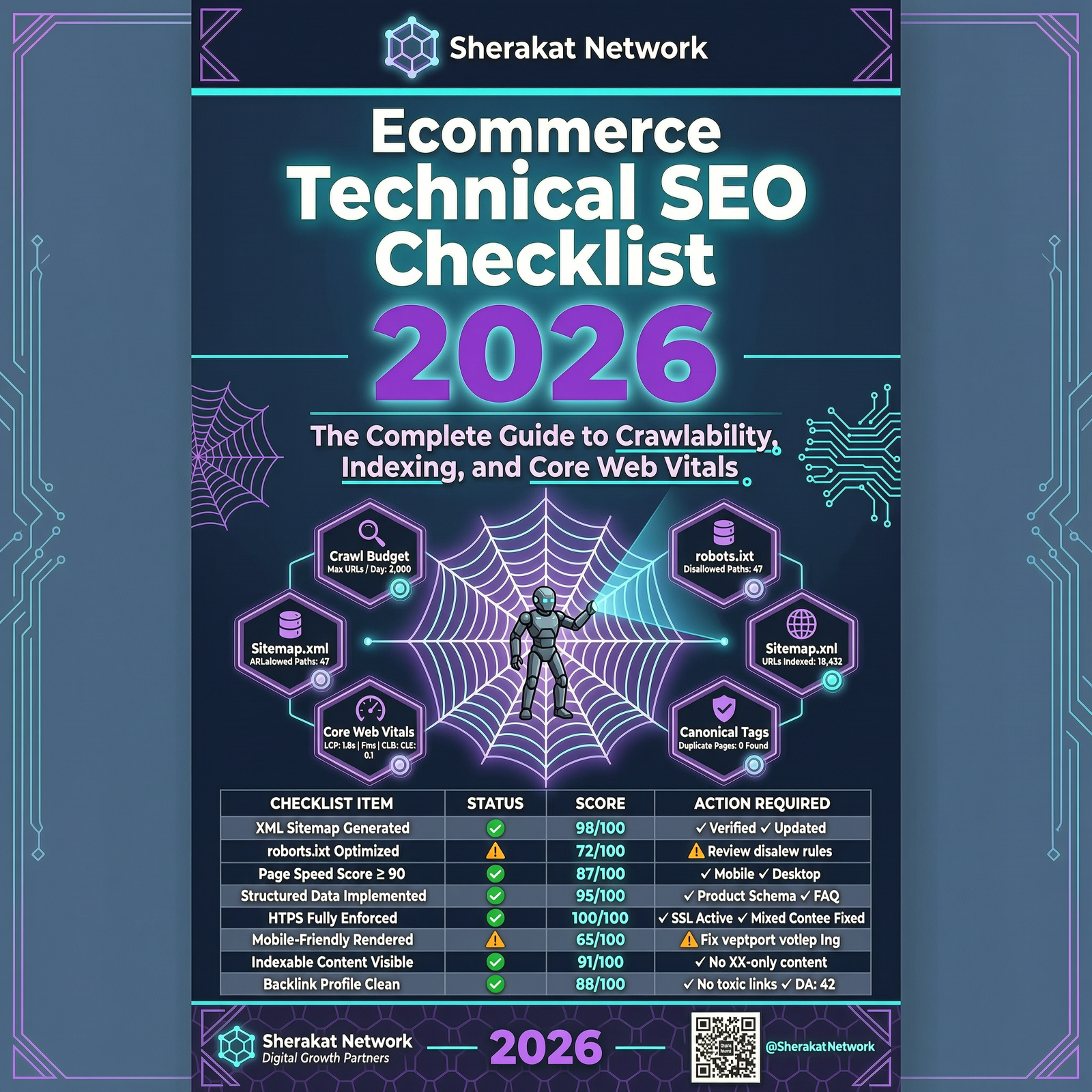

Introduction – Why This Matters
In my experience working with ecommerce stores of all sizes, I have seen a pattern repeat itself endlessly: store owners pour hours into writing product descriptions, crafting the perfect meta titles, and building backlinks, only to wonder why Google still ignores their best pages.
What I’ve found is that technical SEO is the foundation that makes everything else possible. You can have the most compelling product copy in the world, but if Google’s crawlers cannot find your pages, cannot render them properly, or decide they are too slow to bother with, none of that content matters.
Let me share a quick example. A client running a Shopify store with 5,000 products was frustrated. They had great products, decent content, and a growing backlink profile. Yet new products were taking weeks to appear in search results, and their category pages were stuck on page two. After a technical audit, we discovered the problem: Google was wasting its crawl budget on thousands of filtered URL variations and duplicate pages. Their core product pages were being crawled once every three weeks. We cleaned up the faceted navigation, fixed the canonical tags, and optimized the robots.txt file. Within 30 days, Google was crawling their product pages daily, and rankings began to climb.
The site itself hadn’t changed. The technical plumbing had.
This article is your complete professional guide to ecommerce technical SEO for 2026. We will cover the foundational elements (crawlability, indexing, site architecture), performance essentials (Core Web Vitals, mobile optimization), and the emerging technical requirements for AI-driven search (structured data, product feeds, schema evolution). By the end, you will have a practical checklist to audit and optimize your store.
Background / Context
The 2026 Technical SEO Landscape
Technical SEO has always mattered, but in 2026, its importance has magnified for several reasons:
AI-Driven Search Demands Clean Data: With Google’s AI Mode, Gemini, and Universal Commerce Protocol (UCP), search engines now rely heavily on product feeds and structured data to understand products. If that data is wrong or incomplete, the AI has little reason to consider you at all .
Mobile-First Indexing Is Fully Enforced: Google now exclusively uses the mobile version of your site for crawling and indexing. No matter how good your desktop version is, Google’s eyes are always on the mobile version .
Crawl Budget Is Increasingly Constrained: Ecommerce sites generate thousands of URLs through filters, pagination, and variants. If Google’s crawlers get lost in this noise, your most important pages get neglected .
AI Shopping Agents Change Discoverability: With agentic commerce frameworks like UCP and Agent Commerce Protocol (ACP) emerging, the risk of revenue loss from lack of product discoverability has never been higher .
The Technical SEO Survey Says…
The 2026 SEO FOMO Ecommerce SEO & AI Search Optimization Survey, which gathered responses from over 40 experienced ecommerce SEO professionals across 24 countries, revealed that technical SEO remains the backbone of ecommerce SEO. The biggest barrier to SEO success is implementation—development backlogs, limited engineering bandwidth, and complex site architectures are the primary reasons projects fall short .
Key Concepts Defined
Crawl Budget
The number of pages Googlebot will crawl on your site within a given timeframe. For large ecommerce sites, this is a finite resource. If you have 10,000 pages but Google only crawls 2,000 per week, your newest products might wait months to be indexed.
Indexability
Whether a page can be added to Google’s index. Pages blocked by robots.txt, marked noindex, or with canonical tags pointing elsewhere are not indexable.
Core Web Vitals (CWV)
Google’s metrics for user experience:
- Largest Contentful Paint (LCP): Loading performance. Should be under 2.5 seconds.
- Interaction to Next Paint (INP): Responsiveness. Should be under 200 milliseconds.
- Cumulative Layout Shift (CLS): Visual stability. Should be under 0.1.
Mobile-First Indexing
Google primarily uses the mobile version of your site for crawling, indexing, and ranking. If your mobile site is missing content that exists on desktop, that content is effectively invisible to Google.
Canonical Tag
A <link rel="canonical"> tag that tells Google which version of a page is the “master” copy. Essential for ecommerce sites with duplicate URLs from filters, sorting, or variants.
Robots.txt
A file that tells crawlers which parts of your site to avoid. Used to block crawlers from wasting budget on irrelevant pages (like admin areas, filtered URLs, or search results).
Sitemap.xml
A file that lists all the URLs you want Google to crawl and index. Essential for large ecommerce sites to ensure Google discovers new products.
Faceted Navigation
Filters that allow users to narrow products by attributes (size, color, price). If not properly managed, faceted navigation can create thousands of duplicate URLs and destroy your crawl budget.
ProductGroup Schema
Structured data that establishes parent-child relationships between product variants. Allows crawlers to understand variant relationships and qualifies variants for organic shopping grids .
Universal Commerce Protocol (UCP)
A new open standard co-developed by Shopify and Google that creates a shared language for commerce data. UCP allows AI systems to access product data—pricing, availability, variants, shipping—in real time .
Product Feed
The data catalogue submitted via Google Merchant Center. In 2026, this is core infrastructure for search visibility, not just a Shopping Ads input .
How It Works (Step-by-Step Breakdown)
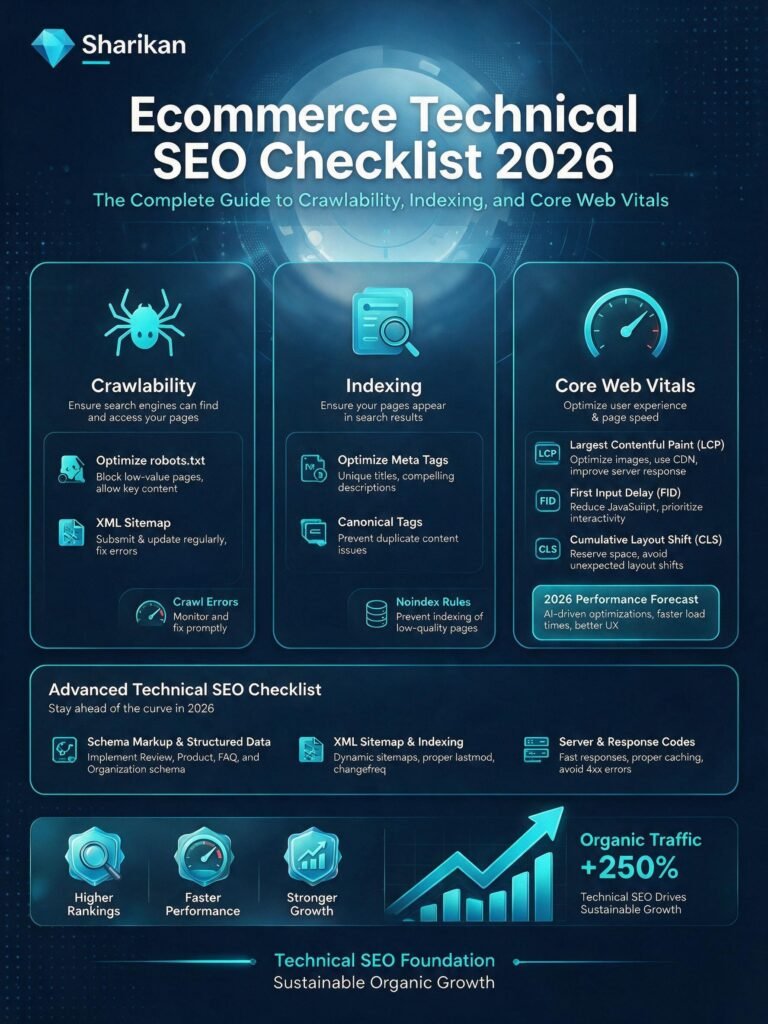
Here is the exact 10-step technical SEO audit and optimization process I use for ecommerce stores.
Step 1: Audit Your Crawlability and Indexability
Before optimizing, know what Google can and cannot find.
Action:
- Run a full site crawl using Screaming Frog or Sitebulb.
- Export the “Depth” report and identify pages deeper than 4 clicks from the homepage.
- Check Google Search Console > Coverage Report. Look for “Crawled – currently not indexed” pages (these are often orphaned or low-value pages).
- Identify pages blocked by robots.txt that should be indexable.
- Check for pages with
noindextags that should be indexed.
Pro Tip: The Coverage Report in Search Console reveals exactly which pages Google has discovered but chosen not to index. This is one of the most valuable diagnostic tools for ecommerce technical SEO.
Step 2: Optimize Your Robots.txt File
Your robots.txt file tells crawlers where to go and where to stay away.
What to Block:
- Search result pages (
/search/,?s=) - Admin and login pages (
/admin/,/wp-admin/) - Cart and checkout pages (
/cart/,/checkout/) - Filtered URL parameters (
?color=,?size=,?sort=) - Internal search results
What Not to Block:
- Product pages
- Category pages
- Blog posts
- Images and CSS/JS resources (blocking these can hurt rendering)
Example robots.txt for Ecommerce:
text
User-agent: *
Disallow: /cart/
Disallow: /checkout/
Disallow: /my-account/
Disallow: /search/
Disallow: /*?sort=
Disallow: /*?page=
Disallow: /*?color=
Disallow: /*?size=

Sitemap: https://yoursite.com/sitemap.xml
Step 3: Manage Faceted Navigation
Faceted navigation is the silent killer of crawl budgets. Every time a user filters by “Color: Red,” a new URL is created. If you have 5 colors × 4 sizes × 3 materials, that’s 60 possible URL combinations for one category page.
The 2026 Solution:
Option A: Block Parameters in robots.txt
text
Disallow: /*?color=
Disallow: /*?size=
Disallow: /*?material=
Option B: Use rel=”nofollow” on filter links
Option C: Use canonical tags pointing all faceted URLs back to the main category page
Recommendation: For most ecommerce sites, blocking faceted parameters in robots.txt is the simplest and most effective approach. Only allow filtering for categories where it adds significant user value.
Step 4: Implement Proper Canonical Tags
Canonical tags prevent duplicate content issues and consolidate ranking power.
Where to Use Canonical Tags:
- On all product pages (self-referencing canonical)
- On faceted/filtered URLs (point to the base category page)
- On variant pages (point to the parent product page, or self-referencing if using multi-page variants)
- On paginated pages (point to the first page, or use rel=”prev/next”)
The Risk of Inconsistent Canonicals: If your page has conflicting signals (e.g., canonical pointing to a different URL, while the page contains unique content), Google may ignore the canonical entirely.
Step 5: Optimize Your Sitemap
A well-structured sitemap helps Google discover your most important pages.
Best Practices:
- Include only indexable pages (no noindex, no canonicalized pages)
- Update the sitemap whenever you add new products (automate this)
- Submit your sitemap via Google Search Console
- Consider multiple sitemaps for large sites:
products.xml,categories.xml,posts.xml
Pro Tip: Shopify and WooCommerce automatically generate sitemaps. Verify in Search Console that Google is reading them correctly.
Step 6: Audit and Fix Duplicate Content
Duplicate content confuses Google and wastes crawl budget.
Common Ecommerce Duplicate Content Issues:
- Product variants on separate URLs with identical descriptions
- Faceted navigation URLs with near-identical content
- HTTP vs. HTTPS versions of the same page
- WWW vs. non-WWW versions
- URL parameters that don’t change content
How to Fix:
- Set your preferred domain (WWW or non-WWW) in Search Console.
- Implement 301 redirects from HTTP to HTTPS.
- Use canonical tags on variant and faceted pages.
- Use ProductGroup Schema to establish variant relationships .
Step 7: Optimize Core Web Vitals
Core Web Vitals are now formal ranking factors. Poor scores hurt rankings and user experience.
LCP Optimization (Target: under 2.5s):
- Optimize hero images (use WebP format, compress, serve responsive sizes)
- Defer non-critical JavaScript and CSS
- Use a fast hosting provider
- Implement lazy loading for below-the-fold images
INP Optimization (Target: under 200ms):
- Minimize JavaScript execution time
- Use browser caching
- Avoid long-running tasks on the main thread
- Optimize third-party scripts (chat widgets, analytics)
CLS Optimization (Target: under 0.1):
- Set explicit dimensions on images and videos
- Reserve space for ads and embeds
- Avoid inserting content above existing content
How to Test:
- Use PageSpeed Insights for URL-level analysis
- Use Google Search Console > Core Web Vitals report for field data
- Use Chrome DevTools Performance tab for detailed diagnostics
- Monitor with tools like DebugBear for continuous tracking
Step 8: Implement Mobile-First Best Practices
Google exclusively uses the mobile version of your site for ranking .
Mobile Checklist:
- Tap targets: Buttons (Add to Cart, Buy Now) must be at least 48×48 pixels. No tiny links.
- Font size: Body text at least 16px. Smaller text is unreadable on mobile.
- Images: Compressed and responsive (load smaller images on mobile).
- Layout: No horizontal scrolling. Use a single column.
- Menus: Hamburger menus are fine; broken drop-downs are not.
- Sticky “Add to Cart” button: Keeps the purchase option visible as users scroll.
Test with: Google’s Mobile-Friendly Test tool. Enter your URL. Fix any issues.
Step 9: Implement Structured Data (Schema Markup)
Schema is how you turn a plain blue link into a rich result with price, stock, and star ratings. For ecommerce, it is close to mandatory in 2026 .
Essential Schema Types for Ecommerce:
| Schema Type | Required Properties | What It Enables |
|---|---|---|
| Product | name, description, image, offers | Rich snippets with price, availability |
| Offer | price, priceCurrency, availability | Display price and stock status in SERP |
| AggregateRating | ratingValue, reviewCount | Star ratings in search results |
| Review | author, reviewBody, rating | Rich reviews in search |
| FAQ | mainEntity (Q&A pairs) | Expandable FAQs in SERP |
| BreadcrumbList | itemListElement | Breadcrumb display in search |
| ProductGroup | hasVariant, productGroupID | Variant relationships for shopping grids |
Variant Schema Implementation:
Ecommerce sites often have products with multiple options (size, color, material). These variations often exist on separate or parameterized URLs, creating duplication issues. ProductGroup Schema establishes parent-child relationships between variants .
Two Approaches:
- Single-Page Variants (Highly Preferred): All variants housed on one product page. Parameterized variant URLs canonicalize back to the parent product URL.
- Multi-Page Variants: Each variant exists as a separate page. Each URL carries self-referencing canonical tags, and link distribution is split across the group.
Important: When a user lands on a parameterized variant URL from the SERP, dynamically alter the on-page experience to match the variant (pre-selected dropdowns, matching hero images, reflective pricing). Mirror these changes in your Schema markup .
Validate: Use Google’s Rich Results Test tool to verify your schema is correctly implemented.
Step 10: Optimize Your Product Feed
In 2026, your Google Merchant Center feed is core infrastructure for search visibility, not just a Shopping Ads input. With Google’s Universal Commerce Protocol (UCP) rolling out, AI systems rely on feed data to understand and recommend products .
Required Feed Attributes (Missing = Rejected):
| Attribute | Requirement |
|---|---|
| Title | Brand + Product Name + Key Attributes (color, size, material). More detailed than website titles. |
| Description | Minimum 150 characters. Describes the product, not the offer. No HTML, no promotional text. |
| GTIN/UPC/EAN/MPN | Required for brand-name products. Invalid GTINs are the #1 reason for rejection. |
| Price | Must match landing page exactly. Mismatches cause account suspensions. |
| Availability | Must match website in real time. Out-of-stock products listed as available trigger penalties. |
| Image Link | High-resolution (800×800 minimum), no watermarks, no promotional overlays. |
| Product Link | Direct URL to the product page, not category or homepage. |
| Brand | Exact brand name as registered. |
Strongly Recommended Attributes:
| Attribute | Why It Matters |
|---|---|
| Google Product Category | Deepest level of Google’s taxonomy. Enables filtered search. |
| Additional Images | At least 3 showing different angles and in-use shots. |
| Color/Size/Material | Standardized names. “Navy Blue” not “Midnight Ocean.” |
| Item Group ID | For products with variants. All variants share a group ID. |
AI-Discovery Attributes (Missing = Invisible to AI Shopping):
| Attribute | Example |
|---|---|
| Product Highlights | 4-6 concise bullet points of key features. |
| Product Details | Structured attribute-value pairs (e.g., “Capacity: 32 oz”). |
| Lifestyle Images | Product in context, not just product-on-white. |
| Certifications | Organic, fair trade, FDA approved, etc. |
| Sustainability Data | Carbon footprint, recycled content, eco-labels. |
Feed Consistency: Your first-party data must be consistent across three sources: On-page experience, Structured Data (Schema), and Merchant Feed. If these sources conflict, crawlers lose trust, resulting in suppressed rich results and feed disapprovals .
Why It’s Important
For Rankings
Technical SEO makes your site discoverable. Without it, even the best content is invisible. Google cannot rank what it cannot find, crawl, or render.
For AI Discovery
AI shopping systems rely heavily on structured data and product feeds. Vague descriptions, incomplete attributes, or stale pricing are no longer minor gaps—they are the reason an AI system passes over your product and recommends a competitor’s .
For Conversion Rates
A fast, mobile-friendly site converts better. Page speed is directly correlated with conversion rates. Every second of delay costs sales.
For Crawl Efficiency
If your technical foundation is weak, Google wastes its limited crawl budget on low-value pages (filters, duplicates, errors). Your important product pages get crawled less frequently, delaying their appearance in search results.
Sustainability in the Future
The Universal Commerce Protocol (UCP)
Shopify and Google announced a deepened partnership in early 2026, co-developing the Universal Commerce Protocol (UCP)—a new open standard for commerce data. UCP creates a shared language for product data, enabling AI systems to access pricing, availability, variants, shipping, and returns in real time .
What this means in practice: a shopper can ask a question, receive an AI-generated recommendation, and complete a purchase—all without ever clicking through to a brand’s website . Product data quality will determine whether your products are surfaced in these moments.
Agentic Commerce
OpenAI’s Agent Commerce Protocol (ACP) and Google’s UCP are laying the groundwork for agentic commerce: AI shopping assistants that act on behalf of buyers. Brands are competing for inclusion in the system’s recommendation set .
Product Feed as the New SEO Battleground
Google is feeding AI Mode, Gemini, and Business Agent with product feeds and structured data, adding more fields that describe how products actually get used—common questions, what works with what, what people buy instead . Your feed quality will become a core ranking factor.
AI Search Optimization Has Gone Mainstream
Practically all ecommerce SEO professionals are either already working AI search optimization into their processes or have concrete plans to start soon . Technical SEO teams are now responsible for structured data quality, feed management, and schema implementation as core job functions.
Common Misconceptions
Myth 1: “If it’s on my site, Google will find it.”
Reality: Google cannot find pages with no internal links (orphan pages). If your new products are not linked from anywhere, and your sitemap isn’t updated, Google may never find them.
Myth 2: “I don’t need to optimize for mobile. My desktop site looks great.”
Reality: Google uses mobile-first indexing. The mobile version of your site is the primary version for ranking. If your mobile site is missing content, that content is invisible .
Myth 3: “Schema markup is optional.”
Reality: Schema is close to mandatory in 2026. It enables rich snippets, which increase CTR. It also provides the structured data that AI engines pull from. Most competitors only mark up Product and stop there—don’t stop there .
Myth 4: “My product feed is only for Shopping Ads.”
Reality: With UCP and AI-driven search, your feed is now core infrastructure for organic visibility. Google is feeding this data into AI Mode and Gemini .
Myth 5: “Core Web Vitals are just a minor ranking factor.”
Reality: Core Web Vitals are formal ranking factors, integrated into Google’s page experience signal. LCP, INP, and CLS directly impact rankings . Poor performance also increases bounce rates, which indirectly hurts rankings.
Recent Developments (2025-2026)
1. Google’s Universal Commerce Protocol (UCP)
Shopify and Google co-developed UCP, a new open standard for commerce data. It creates a shared language for product data and enables AI systems to access real-time product information. This is rolling out now, and Shopify merchants with well-structured data are being surfaced first .
2. Native Shopping Inside AI Mode
Google has begun rolling out native shopping inside its AI Mode and Gemini app. Shoppers can now receive AI-generated recommendations and complete purchases without ever clicking through to a brand’s website .
3. Product Feeds Become Core SEO Infrastructure
Google is feeding AI Mode, Gemini, and Business Agent with product feeds and structured data. Vague descriptions, incomplete attributes, and stale pricing are now reasons AI systems pass over your product .
4. Structured Product Groups Go Mainstream
ProductGroup Schema is now the recommended approach for variants. It eliminates cannibalization, qualifies variants for organic shopping grids, and allows users to filter options within the search page .
5. AI Referral Traffic Explosion
AI-referred traffic to Shopify stores grew sevenfold in the year to early 2026 . This trajectory is unlikely to slow down.
6. The Implementation Gap
The biggest barrier to SEO success is not strategy—it’s execution. Development backlogs, limited engineering bandwidth, and complex site architectures are the primary reasons ecommerce SEO projects fall short .
Success Stories
Case Study 1: The 15,000-Product Apparel Store
Problem: A large apparel store with 15,000 products was experiencing slow indexing. New products took 3-4 weeks to appear in search results. Google was wasting crawl budget on thousands of filtered URLs.
Solution:
- Blocked faceted navigation parameters in robots.txt.
- Implemented proper canonical tags on all category pages.
- Optimized the sitemap to prioritize new products.
- Implemented ProductGroup Schema for variants.
Results (60 days):
- Google’s crawl efficiency improved 400%.
- New products crawled within 48 hours (down from 3-4 weeks).
- Organic traffic to new products increased 300%.
- Indexed pages increased from 8,000 to 13,000.
Case Study 2: The Electronics Retailer’s CWV Recovery
Problem: An electronics retailer’s Core Web Vitals were failing across all metrics. LCP was 4.2 seconds. INP was 350ms. Mobile conversion rates were declining.
Solution:
- Migrated hero images to WebP format with responsive sizes.
- Deferred all non-critical JavaScript.
- Implemented browser caching.
- Removed 15 third-party scripts that were blocking rendering.
Results (90 days):
- LCP improved from 4.2s to 2.1s.
- INP improved from 350ms to 180ms.
- Mobile conversion rate increased 28%.
- Rankings improved for 45 high-value keywords.
Real-Life Examples
Example A: A Site with Poor Technical SEO
Site: A Shopify store with 5,000 products.
Issues:
- No robots.txt file blocking faceted navigation.
- Multiple pages with missing canonical tags.
- Inconsistent product data across page, schema, and feed.
- No ProductGroup Schema for variants.
- 4,000 pages discovered but not indexed (Search Console Coverage report).
Result: New products take weeks to index. Category pages rank poorly. Organic traffic is stagnant.
Example B: A Site with Excellent Technical SEO
Site: A Shopify store with 5,000 products.
Optimized State:
- Robots.txt blocking all faceted navigation parameters.
- Canonical tags correctly implemented on all pages.
- Product data consistent across page, schema, and feed.
- ProductGroup Schema implemented for all variants.
- Regular sitemap updates.
- Core Web Vitals in “Good” range.
Result: New products indexed within 48 hours. Category pages rank page one. Organic traffic growing 15% quarterly.
Conclusion and Key Takeaways
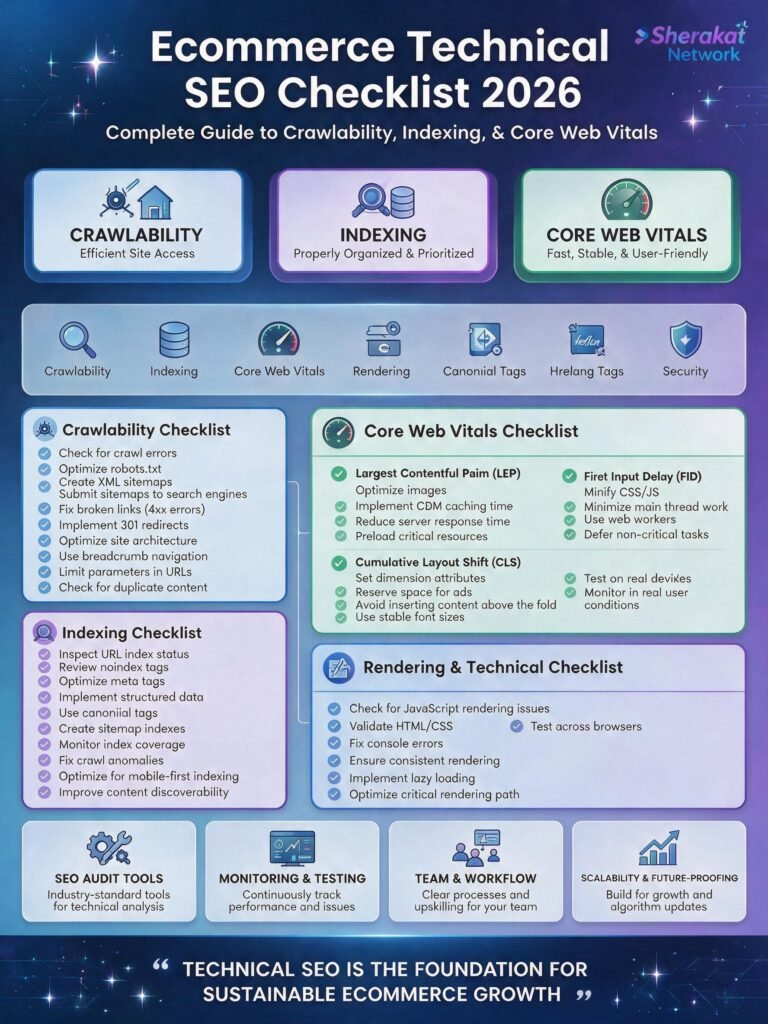
Technical SEO is not glamorous. You cannot show your boss a beautiful architecture diagram and get a high-five. But it is the foundation upon which all other SEO efforts are built.
The 10 Commandments of Ecommerce Technical SEO (2026):
- Thou Shalt Audit Crawlability and Indexability: Know what Google can and cannot find.
- Thou Shalt Optimize Robots.txt: Block faceted navigation and low-value pages.
- Thou Shalt Manage Faceted Navigation: Prevent crawl budget waste.
- Thou Shalt Use Canonical Tags Correctly: Eliminate duplicate content issues.
- Thou Shalt Keep Sitemaps Updated: Help Google discover new products.
- Thou Shalt Optimize Core Web Vitals: LCP under 2.5s, INP under 200ms, CLS under 0.1.
- Thou Shalt Prioritize Mobile-First Indexing: Google only sees your mobile site.
- Thou Shalt Implement Schema Markup: Product, Offer, AggregateRating, FAQ, ProductGroup.
- Thou Shalt Optimize Your Product Feed: Clean, consistent, complete data.
- Thou Shalt Monitor and Maintain: Technical SEO is not a one-time task.
Your 7-Day Action Plan:
- Day 1: Run a full site crawl (Screaming Frog). Identify pages with depth 4+, broken links, and canonical issues.
- Day 2: Check Google Search Console > Coverage Report. Identify “Crawled – currently not indexed” pages.
- Day 3: Audit and optimize your robots.txt file. Block faceted navigation parameters.
- Day 4: Test Core Web Vitals in PageSpeed Insights. Identify specific improvements.
- Day 5: Audit schema markup using Google’s Rich Results Test. Add missing schema types.
- Day 6: Review your Google Merchant Center feed. Verify all required attributes are present and accurate.
- Day 7: Test your site with JavaScript disabled to ensure critical content is visible. Fix any issues.
FAQs (Frequently Asked Quesitons)
Q1: What is technical SEO and why does it matter for ecommerce?
A: Technical SEO is optimizing your site’s infrastructure for search engines—crawlability, indexability, page speed, mobile optimization, structured data. It ensures Google can find, understand, and rank your pages.
Q2: What is crawl budget and why is it important?
A: Crawl budget is the number of pages Googlebot will crawl on your site. If Google wastes budget on low-value pages (filters, duplicates), your important product pages get crawled less frequently.
Q3: What is mobile-first indexing?
A: Google primarily uses the mobile version of your site for crawling, indexing, and ranking. If your mobile site is missing content that exists on desktop, that content is invisible to Google .
Q4: What are Core Web Vitals?
A: Google’s metrics for user experience: LCP (loading), INP (responsiveness), and CLS (visual stability). They are formal ranking factors .
Q5: What is a good Core Web Vitals score?
A: LCP under 2.5 seconds, INP under 200 milliseconds, CLS under 0.1 .
Q6: How do I test Core Web Vitals?
A: Use PageSpeed Insights (URL-level), Google Search Console > Core Web Vitals report (field data), or Chrome DevTools Performance tab (detailed diagnostics) .
Q7: What is a canonical tag?
A: A <link rel="canonical"> tag that tells Google which version of a page is the “master” copy. Essential for duplicate content issues.
Q8: What is faceted navigation and why is it a problem?
A: Filters that allow users to narrow products (size, color, price). Each filter creates a new URL, generating thousands of duplicate pages that waste crawl budget.
Q9: How do I fix faceted navigation issues?
A: Block parameters in robots.txt, use rel=”nofollow” on filter links, or use canonical tags pointing filtered URLs back to the base category page.
Q10: What is ProductGroup Schema?
A: Structured data that establishes parent-child relationships between product variants. Eliminates cannibalization and qualifies variants for organic shopping grids .
Q11: What is the Universal Commerce Protocol (UCP)?
A: An open standard co-developed by Shopify and Google for commerce data. Enables AI systems to access real-time product information .
Q12: What is a product feed and why does it matter for SEO?
A: The data catalogue submitted via Google Merchant Center. In 2026, it’s core infrastructure for organic visibility, feeding AI systems with product data .
Q13: What are required feed attributes?
A: Title, description, GTIN/UPC/EAN/MPN, price, availability, image link, product link, brand. Missing these causes rejections .
Q14: What is the most common feed error?
A: Missing or invalid GTINs. This is the single most common reason products get rejected from Google Shopping .
Q15: What is the difference between a sitemap and robots.txt?
A: Sitemap tells Google which pages to crawl. Robots.txt tells Google which pages to avoid. Both are essential.
Q16: How often should I update my sitemap?
A: Whenever you add new products or pages. Automate this if possible. Most ecommerce platforms generate sitemaps automatically.
Q17: What is an orphan page?
A: A page with no internal links pointing to it. Google cannot find orphan pages through normal crawling.
Q18: How do I find orphan pages?
A: Use Screaming Frog. Crawl your site, then go to Internal > Orphan Pages. This shows URLs in your sitemap with zero internal links.
Q19: What is the 3-click rule?
A: A heuristic that product pages should be reachable within 3 clicks from the homepage. Not a hard Google rule, but good for user experience and crawl depth.
Q20: How does site architecture affect SEO?
A: A clear, logical architecture helps Google understand your site’s structure and distribute authority. Deep architecture (5+ clicks to products) dilutes link equity.
Q21: What is the implementation gap?
A: The gap between SEO strategy and execution. Development backlogs, limited engineering bandwidth, and complex site architectures are the primary reasons projects fall short .
Q22: How do I implement ProductGroup Schema?
A: Add JSON-LD markup establishing parent-child relationships. Use Google’s developer guidelines for technical requirements. Most SEO plugins don’t support this—custom implementation may be needed .
Q23: What is the “Single-Page Variants” approach?
A: All variants housed on one product page. Parameterized variant URLs canonicalize back to the parent product URL. Preferred approach for clean authority consolidation .
Q24: What is the “Multi-Page Variants” approach?
A: Each variant exists as a separate page. Each carries self-referencing canonical tags. Link distribution is split across variants .
Q25: How do I ensure feed consistency?
A: Use a centralized Product Information Management (PIM) system. Distribute uniform data to your CMS, schema markup, and merchant feed .
Q26: What is the impact of AI-referred traffic?
A: AI-referred traffic to Shopify stores grew sevenfold in the year to early 2026. This trajectory is unlikely to slow down .
Q27: What is agentic commerce?
A: AI shopping assistants that act on behalf of buyers. Shoppers can describe what they want, and AI recommends and purchases products .
Q28: What schema types are essential for ecommerce?
A: Product, Offer, AggregateRating, Review, FAQ, BreadcrumbList, and ProductGroup for variants .
Q29: How do I validate schema markup?
A: Use Google’s Rich Results Test tool. Enter your URL. It will show you exactly which schema Google detects and any errors.
Q30: What is the biggest barrier to technical SEO success?
A: Implementation. SEO teams know what needs to happen; they just can’t get it shipped fast enough due to development backlogs and limited engineering bandwidth .
About the Author
This guide was written by the Sherakat Network SEO and digital strategy team. With over a decade of combined experience in ecommerce technical SEO and a focus on emerging technologies, the team has helped hundreds of online stores build the technical foundations that enable sustainable organic growth. We believe that great SEO starts with a site that search engines can actually access.
Free Resources
- Technical SEO Audit Checklist (2026 Edition):
- Robots.txt Template for Ecommerce:
- Core Web Vitals Optimization Guide:
- Schema Markup Testing Checklist:
Discussion
What is the most frustrating technical SEO issue you have encountered on your ecommerce store? Or have you fixed a major technical issue and seen rankings jump? Share your experience or ask your questions in the comments below. The Sherakat Network community includes store owners and SEO professionals navigating these challenges together.
Internal & External Links (Naturally Integrated)
Internal Links:
- For the foundational SEO concepts that underpin this strategy, visit our main SEO category page .
- Need templates and tools to execute your technical audit? Our Resources section has audit checklists and templates.
- If you are building a new store from scratch, our Start Online Business 2026 Complete Guide covers platform selection and initial setup.
- Once you have fixed your technical foundation, you need to optimize your product pages. Read our guide on Product Page SEO Optimization .
- Your technical architecture and site structure go hand in hand. See our article on Ecommerce Site Architecture for SEO .
- For the broader shift towards AI-driven search, revisit our guide on The AI Answer Era: GEO & AEO Strategy .
- Explore all our insights on the Sherakat Network Blog for weekly updates.
- Have specific technical SEO questions or need a custom audit? Contact us here .
External Links:
- Running an ecommerce business is stressful. Maintain your focus with the Mental Health Complete Guide – burnout kills the focus needed for complex technical work.
- If your technical optimizations lead to more orders, ensure your supply chain can handle the volume with this guide on Global Supply Chain Management .
- Leverage AI & Machine Learning trends to understand the technology behind AI-driven search.
- Managing a remote team of developers or SEO specialists? Read up on Remote Work Productivity .
- Stay informed about Climate Policy & Agreements – sustainability data in product feeds is becoming a GEO differentiator.
- Understand the Culture & Society trends that influence how consumers interact with AI and trust brands.
“Great content, learned a lot from this post!”