


Introduction – Why This Matters
What if I told you that some of your most valuable content is already sitting on your website, collecting digital dust? In my experience, the vast majority of website owners and content creators suffer from what I call “shiny object syndrome.” They pour hours into crafting a new blog post, publish it with excitement, and then immediately move on to the next new idea. Meanwhile, the 50, 100, or even 500 articles they’ve already published slowly decline in rankings, traffic, and relevance.
What I’ve found is that this approach ignores one of the most powerful, cost-effective, and underutilized growth strategies in SEO: content refreshing.
Let me share a quick story. A few years ago, I was working with a client in the personal finance space. They had a blog with over 300 articles. Traffic had plateaued at around 25,000 monthly visitors, and they were frustrated. Their solution was to write more. “We need to publish five times a week!” they insisted. Instead, I convinced them to pause all new content creation for 90 days and focus entirely on refreshing their existing content.
We audited their 300 articles, identified the top 50 with the most potential, and systematically updated them with current data, expanded sections, improved internal linking, and fresh examples. The results? Within six months, their traffic grew from 25,000 to over 75,000 monthly visitors—a 200% increase—without publishing a single new article from scratch. Their oldest post, written four years prior, became their highest-traffic page after a strategic refresh.
For the Sherakat Network audience—whether you’re a curious beginner wondering why your traffic has stalled or a seasoned professional looking for a high-ROI strategy—content refreshing is your secret weapon. In this guide, I’ll walk you through exactly how to identify, update, and repromote your old content to unlock massive traffic growth.
Before we dive in, if you haven’t already, I highly recommend reading our foundational guide on Topic Clusters: Moving Beyond Keywords to Build Authority in 2026. Content refreshing and topic clusters work hand in hand—refreshing old content allows you to integrate it into your cluster strategy, creating a powerful one-two punch for SEO success.
Background / Context
To understand why content refreshing works so effectively, we need to look at how search engines evaluate content over time. In the early days of SEO, once you ranked for a keyword, you could often sit on that ranking for years. Content was treated as a static asset. You published it, and that was it.
But Google’s algorithms have evolved dramatically. The introduction of the Freshness Algorithm (which gives preference to recently updated content for certain types of queries) and, more recently, the Helpful Content System (which rewards content that provides a satisfying user experience) has fundamentally changed the game.
Search engines now evaluate content on an ongoing basis. They look at:
- Currency: Is the information up-to-date with the latest statistics, trends, and best practices?
- Relevance: Does the content still match what users are searching for today?
- Completeness: Has the topic been covered thoroughly, or are there gaps that newer competitor content has filled?
- User Signals: Are people bouncing from the page quickly, or are they engaging with it?
When you let content sit untouched for years, it naturally decays. Statistics become outdated. Links break. Competitors publish more comprehensive guides. The user experience suffers. Your rankings slowly slip, often without you even noticing.
Content refreshing is the antidote. It’s the practice of systematically reviewing, updating, and improving your existing content to restore its relevance, authority, and ranking potential.
According to a 2025 study by Ahrefs, pages that were updated within the last 12 months accounted for nearly 75% of all organic clicks in competitive niches. A separate analysis by Backlinko found that refreshing old content with significant updates (not just minor tweaks) led to an average traffic increase of 111% within 90 days.
For a broader perspective on how businesses adapt to changing environments, consider exploring this guide on global supply chain management, which touches on the importance of adaptability—a core principle of content refreshing.
Key Concepts Defined
Before we get into the step-by-step process, let’s define the core concepts that underpin a successful content refresh strategy.
Content Decay
Content decay is the gradual decline in organic traffic, rankings, and engagement that content experiences over time. It’s caused by outdated information, competitor improvements, algorithm changes, and shifting user expectations. Recognizing content decay is the first step in identifying which pieces need refreshing.
Content Audit
A content audit is a systematic review of all your published content. It involves analyzing performance metrics (traffic, rankings, conversions), relevance, quality, and technical health to determine which pieces should be kept, updated, consolidated, or removed. This is the foundation of any refresh strategy.
Content Refresh
A content refresh is the process of updating an existing piece of content to improve its accuracy, comprehensiveness, relevance, and SEO performance. This can range from minor updates (fixing broken links, updating a statistic) to major overhauls (rewriting large sections, adding new examples, restructuring the entire article).
Evergreen Content vs. Time-Sensitive Content
Evergreen content is content that remains relevant over long periods (e.g., “How to Tie a Tie,” “The Basics of SEO”). Time-sensitive content is tied to specific events or dates (e.g., “2020 Marketing Trends”). Evergreen content is typically the best candidate for refreshing, as it has lasting value that can be preserved and enhanced.
Content Consolidation
Sometimes, you may have multiple articles covering similar topics that compete with each other. Content consolidation is the process of merging several related pieces into a single, comprehensive resource. This eliminates cannibalization and creates a stronger, more authoritative page.
Canonicalization
When consolidating content, you’ll use a canonical tag to tell search engines which version of the content is the primary one. This ensures that the SEO value from the consolidated pages passes to the main page.
For a deeper understanding of how to build sustainable systems for your online presence, explore the Resources section on Sherakat Network, where we cover tools and frameworks for long-term success.
How It Works (Step-by-Step Breakdown)
Now let’s get into the practical, actionable steps. I’ve refined this process over years of refreshing content for my own sites and for clients, and it consistently delivers results.
Step 1: Conduct a Comprehensive Content Audit
You can’t refresh what you don’t understand. The first step is to get a complete picture of your existing content library.
Export Your Content List:
Start by exporting a list of all your published posts from your CMS (WordPress, Webflow, etc.) or by using a tool like Google Search Console. I recommend creating a spreadsheet with columns for:
- URL
- Title
- Publish Date
- Last Updated Date
- Current Organic Traffic (last 3 months)
- Current Keyword Rankings (top 5 keywords)
- Backlinks Count
- Word Count
- Category/Topic
Analyze Performance Metrics:
Now, enrich your spreadsheet with performance data. I use Google Analytics for traffic data, Google Search Console for rankings and impressions, and Ahrefs or Semrush for backlink data.
Sort your content by organic traffic. Your top-performing pages (the “winners”) are often the best candidates for refreshing because they already have authority and backlinks. Your underperforming pages with potential (the “sleepers”) are also great candidates—they may have good backlinks but poor content.
Categorize Each Piece:
Create a decision column in your spreadsheet with one of four categories:
- Keep & Refresh: Content that has potential, some traffic, or valuable backlinks, but needs updating.
- Consolidate: Content that overlaps with other pieces. These will be merged into a stronger resource.
- Delete: Content that is completely outdated, low-quality, irrelevant to your current goals, or harmful to your brand.
- No Action: Content that is already performing well and is current.
Key Takeaway: Don’t be sentimental. If a piece of content has zero traffic, no backlinks, and is completely irrelevant, deleting it can clean up your site and improve your overall authority.
Step 2: Prioritize Your Refresh Candidates
With dozens or hundreds of articles in your “Keep & Refresh” category, you need a system to prioritize. I use a simple scoring system based on three factors:
Potential Impact (1-5):
- 5: High-traffic pages with established backlinks. Refreshing these can yield immediate gains.
- 4: Pages with moderate traffic and good backlinks.
- 3: Pages with low traffic but strong backlinks (link equity is valuable).
- 2: Pages with decent traffic but few backlinks.
- 1: Pages with low traffic and few backlinks.
Ease of Update (1-5):
- 5: Minor updates needed (fix links, update a few statistics). Can be done in under an hour.
- 4: Moderate updates (add a new section, update examples). 1-2 hours.
- 3: Significant updates (rewrite large portions, add new images). 2-4 hours.
- 2: Major overhaul (complete rewrite, restructuring). 4-8 hours.
- 1: Almost a complete rewrite from scratch. 8+ hours.
Strategic Importance (1-5):
- 5: Directly aligned with your core business goals and topic clusters.
- 4: Aligned with secondary business goals.
- 3: Related to your niche but not core.
- 2: Tangentially related.
- 1: Not strategically important.
Multiply these scores (or use a weighted average) to create a priority score. Start with the highest-scoring pieces. This ensures you’re putting your time where it will generate the most return.
Step 3: Analyze Top Competitors for Gaps
Before you start writing, you need to understand the current landscape. Search for your target keywords and analyze the top 3-5 ranking competitor pages.
Ask yourself:
- What sections do they have that my article doesn’t?
- What examples, case studies, or data are they using?
- How is their content structured? Is it easier to read?
- What visuals are they using (images, videos, infographics)?
- What’s the word count difference?
This isn’t about copying. It’s about understanding what the current “standard of excellence” is for that topic. Your refreshed content should not just match that standard but exceed it.
I also check the “People Also Ask” (PAA) boxes for questions that aren’t answered in my article. If users are asking questions that my content doesn’t address, that’s a clear gap to fill.
Step 4: Update the Content Systematically
Now comes the hands-on work. Here’s my systematic approach to updating a piece of content:
1. Update the Title and Meta Description:
Your title is the first thing people see in search results. If it’s old, boring, or doesn’t match current search intent, refresh it. Look at what titles are working for top-ranking competitors. Ensure your meta description is compelling and includes your primary keyword.
2. Update the Publish/Updated Date:
Set the “last updated” date to the current date. If your CMS allows, update the published date as well (this can sometimes trigger a freshness boost, though opinions vary). I typically update both to signal freshness to both users and search engines.
3. Refresh the Introduction:
Your introduction should hook the reader immediately. If your current intro references “2020 trends” or old news, rewrite it. Mention that the post has been updated with the latest information. This builds trust with the reader.
4. Update All Statistics and Data:
Go through your article and find every statistic, number, and data point. If it’s from more than 12-18 months ago, find a more current source. I use Statista, industry reports, and recent studies. If you can’t find a current stat, consider removing it or reframing it as historical context.
5. Add New Sections Based on Gap Analysis:
Using your competitor gap analysis, add new sections to your article. If competitors have a “Common Mistakes” section and you don’t, add one. If they have a “Tools” section, add yours. This is where you can truly differentiate your content.
6. Improve Readability and Structure:
Break up long paragraphs. Add more subheadings (H2s, H3s, H4s). Use bullet points and numbered lists where appropriate. Consider adding a table of contents for articles over 1,500 words. Shorter sentences, simpler language, and clear formatting all improve user experience.
7. Add Original Media:
This is a key “human touch” element. Create original images, screenshots, or simple charts using Canva. Record a short Loom video explaining a key concept. Embed these in your content. Original media not only improves engagement but also demonstrates EEAT (Experience, Expertise, Authoritativeness, Trustworthiness).
8. Expand Thin Content:
If your article is under 1,000 words on a complex topic, consider expanding it. There’s no perfect word count, but comprehensive articles (2,000+ words) consistently outperform thin content for informational queries. Don’t add fluff—add value.
9. Remove Outdated or Incorrect Information:
If you find content that is no longer accurate, remove it. If the removal leaves a gap, fill it with updated information. Be honest about changes. For example, “This tool was discontinued in 2024. Here’s the current best alternative.”
10. Add Expert Quotes and Authoritative Citations:
Include quotes from industry experts (you can reach out via LinkedIn or HARO). Cite authoritative sources like .edu domains, government sites, or reputable industry publications. This strengthens EEAT.
11. Optimize for Current SEO Best Practices:
- Ensure your focus keyword appears in the title, H1, first 100 words, and a few subheadings.
- Add semantically related keywords naturally throughout.
- Optimize images with descriptive filenames, alt text, and captions.
- Ensure the page loads quickly (compress images, check hosting).
12. Strengthen Internal Linking:
This is crucial. Add contextual internal links to and from your refreshed content. Link to your pillar pages, related cluster content, and other relevant articles. This is where your refreshed content can integrate into your topic cluster strategy. For guidance on this, revisit our Topic Clusters guide.
13. Add New External Links:
Check for broken external links using a tool like Broken Link Checker. Replace them with working links. Consider adding links to high-authority external resources that add value to your readers.
14. Add a FAQ Section:
Based on the “People Also Ask” questions you found, add a detailed FAQ section at the end of your article. This captures featured snippet opportunities and answers user questions directly.
15. Add a Conclusion and Key Takeaways:
Summarize the main points. Add a “Key Takeaways” box that highlights the most important insights readers should remember.
Step 5: Implement Content Consolidation
If your audit identified multiple pieces of content covering similar topics, consolidation is your friend. Here’s how to do it:
Identify the Primary Page:
Choose the page with the strongest performance (most traffic, best rankings, most backlinks) as your primary page. This will be the page you keep and improve.
Identify Supporting Pages:
These are the pages you’ll merge into the primary page. Note their key points, unique examples, and valuable sections.
Create a Master Resource:
Expand your primary page to include the best content from all supporting pages. Structure it logically. You’re creating a definitive guide on the topic.
Redirect Supporting Pages:
Set up 301 redirects from each supporting page to the new, expanded primary page. This passes the link equity from those pages to your master resource.
Update Internal Links:
Go through your site and update any internal links that pointed to the old supporting pages to point to the new primary page.
Step 6: Repromote Your Refreshed Content
A common mistake is refreshing content and then doing nothing to promote it. You need to tell the world—and search engines—that your content is new again.
Update Your Sitemap:
Your CMS should automatically update your sitemap, but manually submit the refreshed URLs to Google Search Console for re-crawling. This speeds up the indexing process.
Share on Social Media:
Create a fresh social media post announcing the updated content. Use a new image or graphic. Highlight what’s new: “We just updated our complete guide on [topic] with 2026 data and 5 new tools!”
Send to Your Email List:
If you have an email list, send a dedicated email highlighting your refreshed resource. Position it as an updated, improved version that your subscribers will find valuable.
Link from Recent Content:
When you publish new content, look for opportunities to link to your refreshed article. This signals its ongoing relevance.
Reach Out to Existing Backlink Sources:
If your article has existing backlinks, you can reach out to those site owners. Let them know you’ve significantly updated the content and suggest they check it out. Some may update their link to reflect the new version.
Why It’s Important
Content refreshing isn’t just a nice-to-have tactic. In 2026, it’s a strategic necessity for sustainable organic growth. Here’s why:
1. It Delivers Higher ROI Than Creating New Content:
Creating a new article from scratch requires significant time and resources. Refreshing an existing article typically takes 25-50% of the time required for new content, yet it can deliver comparable or even greater traffic increases. According to a 2025 HubSpot analysis, companies that refreshed existing content saw a 5x higher ROI compared to those focused solely on new content creation.
2. It Capitalizes on Existing Authority:
Old articles that have been around for years have something new articles don’t: backlinks, social shares, and established trust. When you refresh that content, you’re pouring new value into an asset that already has authority. New content starts from zero.
3. It Signals Freshness to Google:
Google’s algorithms give preference to recently updated content for many queries. When you update a post, Google re-crawls it more quickly. If the updates are substantial, you can see a significant rankings boost.
4. It Improves User Experience and Engagement:
Outdated content frustrates users. If someone clicks on your post expecting current information and finds statistics from 2019, they’ll bounce. Refreshed content provides a better experience, leading to higher engagement metrics (time on page, lower bounce rate), which in turn signal quality to Google.
5. It Helps Maintain and Grow Topic Authority:
If you’ve built topic clusters (as discussed in our previous article), refreshing your cluster content ensures that your entire authority “web” remains strong. A weak, outdated cluster article can drag down the performance of the entire pillar.
For insights on maintaining well-being while managing demanding content schedules, check out this guide on psychological wellbeing. Sustainable success requires sustainable practices.
Sustainability in the Future
Content refreshing is the ultimate sustainable content strategy. Unlike the “publish or perish” mentality that leads to burnout and diminishing returns, refreshing allows you to build a library of assets that grow in value over time.
The Shift to Asset-Based Content Strategies:
Forward-thinking content teams are moving away from volume-based strategies (publishing X articles per week) to asset-based strategies. In this model, each piece of content is treated as a long-term asset that is continuously improved and optimized. Refreshing is the maintenance that keeps those assets performing.
Integration with AI-Assisted Content Creation:
The rise of AI content tools presents both an opportunity and a challenge for refreshing. AI can help you:
- Identify outdated sections quickly
- Suggest new sections based on competitor analysis
- Generate new statistics summaries
- Rewrite sentences for clarity
However, the human touch remains essential. AI cannot provide genuine personal experience, conduct original research, or offer the nuanced insights that truly differentiate your content. The future belongs to those who use AI as a tool to enhance their refreshing workflow while maintaining human oversight and creativity.
Adapting to Evolving EEAT Standards:
Google’s EEAT (Experience, Expertise, Authoritativeness, Trustworthiness) standards are becoming increasingly important. Refreshing content allows you to continuously strengthen your EEAT signals by:
- Adding recent personal experiences
- Including updated expert quotes
- Citing current authoritative sources
- Adding original case studies
For insights on emerging technologies that will shape content creation, explore the Artificial Intelligence & Machine Learning section on WorldClassBlogs.
Common Misconceptions
Let’s address some myths that can prevent people from embracing content refreshing.
Misconception 1: “If It’s Not Broken, Don’t Fix It”
Just because a page is ranking doesn’t mean it can’t rank higher. Content decay is gradual. What’s ranking #5 today might be ranking #15 next year if you don’t maintain it. Proactive refreshing prevents decline and captures growth opportunities.
Misconception 2: “I’ll Just Add a New Date and Call It Updated”
Changing the date without making substantial updates is a common but ineffective tactic. Google’s algorithms can detect whether updates are substantive. Superficial date changes won’t trigger a rankings boost and may even be viewed negatively.
Misconception 3: “Refreshing Is Just for Blogs”
Content refreshing applies to any type of content: service pages, product pages, landing pages, case studies, and more. Any page that can become outdated or incomplete is a candidate for refreshing.
Misconception 4: “I Need to Create New Content to Grow”
While new content has its place, the data consistently shows that refreshing existing content often delivers faster and more sustainable growth. Many successful sites maintain a 70/30 split—70% of their content effort on refreshing and optimizing existing content, 30% on creating new pieces.
Misconception 5: “Deleting Content Hurts SEO”
Strategically deleting low-quality, outdated, or irrelevant content can actually improve your site’s overall authority. It removes low-value pages that may be diluting your site’s quality signals. Just ensure you 301 redirect any valuable links.
Recent Developments (2025-2026)
The content landscape has seen significant developments in the past year that make refreshing more important than ever.
Google’s “Content Decay” Recognition:
In a 2025 Search Central office-hours session, a Google representative acknowledged that content decay is a recognized phenomenon and encouraged webmasters to regularly review and update their content. This was the first time Google explicitly endorsed content refreshing as a best practice.
The “Helpful Content System” Refresh:
Google updated its Helpful Content System in late 2025 to better evaluate content “freshness and maintenance.” Sites that consistently update and improve existing content received a signal boost in the algorithm.
AI Detection in Quality Evaluation:
Search engines have become increasingly sophisticated at detecting AI-generated content that lacks human insight. Refreshing content with original experiences, personal anecdotes, and unique data is now more critical than ever for standing out.
Featured Snippet Optimization:
Featured snippets now account for over 30% of search clicks in many niches. Refreshing content allows you to optimize for these coveted positions by adding clear, concise answers to common questions and structuring content with proper headings.
For a broader perspective on adapting to change in professional environments, explore this article on remote work productivity, which discusses strategies for maintaining effectiveness in evolving contexts.
Success Stories (If Applicable)
I want to share a detailed case study from my own experience that illustrates the power of content refreshing.
Case Study: The 6-Year-Old Post That Became a Traffic Powerhouse
One of my personal blogs had a post titled “How to Start a Podcast: The Beginner’s Guide.” I wrote it in 2019. It did well initially, earning around 500 monthly visitors. But by 2023, traffic had dropped to barely 100 visitors a month. The content was outdated. It referenced “2019 podcasting trends” and recommended tools that no longer existed.
Instead of writing a new guide, I decided to refresh it. Here’s exactly what I did:
- Audited the post: It had 27 backlinks from decent sites. This was valuable link equity I didn’t want to lose.
- Analyzed competitors: The top-ranking guides in 2023 were all 3,000-4,000 words. Mine was 1,800 words. They had video tutorials. I didn’t.
- Updated the title: Changed from “The Beginner’s Guide (2019)” to “The Complete Beginner’s Guide to Starting a Podcast (2026 Update).”
- Rewrote the introduction: Acknowledged that the podcasting landscape had changed and highlighted what was new in the guide.
- Updated all statistics: Found 2025 data on podcast listenership and industry growth from Statista and Edison Research.
- Added new sections:
- “Best Podcast Microphones Under $100 (2026 Edition)”
- “How to Use AI for Podcast Editing and Transcription”
- “Podcast Distribution: New Platforms You Need to Know”
- Created original media: Recorded a 4-minute Loom video showing exactly how to set up a podcast recording in Audacity. Took screenshots of every software interface.
- Added an FAQ section: Answered 15 common questions from the “People Also Ask” boxes.
- Expanded to 3,800 words: Doubled the length without adding fluff.
- Strengthened internal links: Linked to my podcast topic cluster pillar page and other cluster articles.
- Updated the date and resubmitted to Google Search Console.
The Results:
- Within 60 days, the post returned to page 1 for its primary keyword.
- Within 90 days, traffic reached 1,500 monthly visitors.
- Within 12 months, traffic grew to 4,200 monthly visitors.
- The post earned 15 new backlinks from other sites linking to the “updated guide.”
- It started generating affiliate income from recommended equipment.
The total time investment was about 6 hours. That’s the equivalent of writing one new article. But the ROI far exceeded what a new article would have delivered because I was building on existing authority.
This is the power of content refreshing. For more resources on building sustainable online businesses, visit the Resources section on Sherakat Network.
Real-Life Examples
Let’s look at two different approaches to content refreshing.
Example 1: Simple Refresh (Beginner/Intermediate)
Original Article: “10 Ways to Improve Your Email Open Rates” (Published 2022)
Refresh Actions:
- Updated all statistics with 2025/2026 data from recent email marketing studies
- Added a new method (#11) based on a 2025 trend (interactive emails)
- Replaced screenshots of old email platforms with current interfaces
- Added a new section on AI-powered subject line generators
- Updated internal links to newer cluster content
- Added a “Key Takeaways” box at the end
Time Investment: 90 minutes
Expected Impact: Moderate traffic increase, improved rankings for long-tail keywords
Example 2: Major Overhaul (Advanced)
Original Articles: Three separate articles on “Facebook Ads for Beginners” (2021), “Facebook Ads Targeting Guide” (2022), and “Facebook Ads Budgeting” (2022)
Refresh Actions:
- Consolidated all three into a single master guide: “Facebook Ads Mastery: Complete Guide for Beginners (2026 Edition)”
- Created a new pillar page structure with sections mirroring the original three articles
- Wrote an entirely new introduction and conclusion
- Added 2026-specific content: iOS 14+ impact, AI-powered ad creation, new ad formats
- Created original screenshots from the current Facebook Ads Manager
- Recorded a video walkthrough of setting up a campaign
- Added expert quotes from Facebook Ads specialists
- Added a comprehensive FAQ with 25 questions
- Set up 301 redirects from the three original URLs to the new master guide
- Updated all internal links across the site to point to the new resource
Time Investment: 12-15 hours
Expected Impact: Significant traffic increase, featured snippet opportunities, reduced keyword cannibalization, stronger topic authority
For insights into how technology and culture intersect in content creation, explore the Culture & Society section on WorldClassBlogs.
Conclusion and Key Takeaways
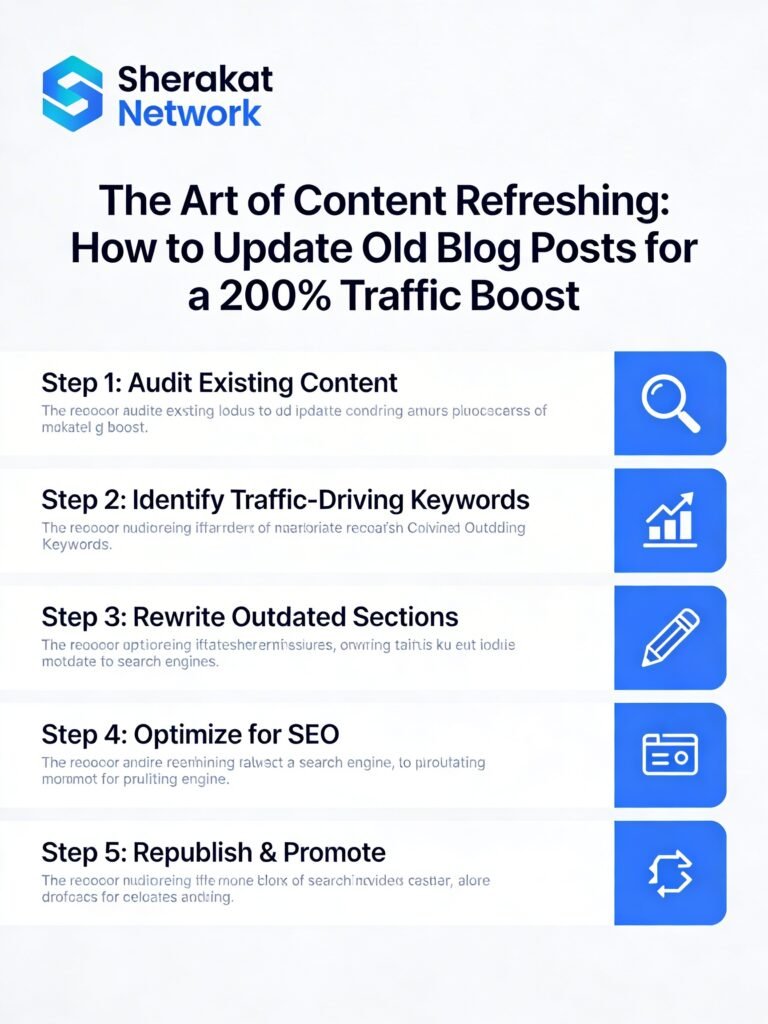
Content refreshing is not a one-time project. It’s an ongoing process that should be integrated into your regular content operations. The sites that will win in 2026 and beyond are those that treat their content as living, breathing assets that require continuous care and improvement.
Key Takeaways:
- Your existing content is your most valuable asset. Before creating something new, look at what you already have. The seeds of your next traffic breakthrough are likely sitting in your archive.
- Systematize your refresh process. Don’t wait until content is completely dead to refresh it. Set up a quarterly or monthly cadence for auditing and updating a set number of articles.
- Focus on high-impact, high-potential pages first. Use a prioritization system to identify the pages that will deliver the greatest return on your refresh investment.
- Refresh with substance, not just dates. Substantial updates (new sections, current data, original media) drive results. Changing a date alone does nothing.
- Integrate refreshing with your topic cluster strategy. Refreshing is the perfect opportunity to strengthen your internal linking and ensure all cluster content connects back to your pillar pages. For a refresher on building clusters, revisit our Topic Clusters guide.
- Consolidate when you can. Multiple weak pages are less valuable than one strong, comprehensive resource. Consolidation eliminates cannibalization and concentrates authority.
- Repromote refreshed content. Don’t let your hard work go unnoticed. Submit to search consoles, share on social media, email your list, and proactively reach out to existing backlink sources.
- Track your results. Measure traffic changes before and after refreshing. Use this data to refine your approach and make the case for continued investment in refreshing.
For more guidance on starting or growing your online presence, check out our comprehensive guide on how to start an online business in 2026. The principles of content strategy apply whether you’re just beginning or scaling an established venture.
FAQs (Frequently Asked Questions)
- How often should I refresh my content?
There’s no one-size-fits-all answer. I recommend refreshing high-priority content (pillar pages, top traffic drivers) at least twice a year. Secondary cluster content can be refreshed annually. Content in fast-moving niches (technology, marketing) may need more frequent updates. - How can I tell if a page needs refreshing?
Look for declining traffic over 3-6 months, falling keyword rankings, outdated statistics (older than 12-18 months), broken links, or competitor content that has surpassed yours in quality or comprehensiveness. - What’s the difference between a minor update and a major refresh?
Minor updates: fixing broken links, updating a few statistics, adding a new image. Major refresh: rewriting large sections, adding new sections, restructuring the article, adding original media, expanding word count significantly. - Should I delete the old URL or keep it?
For refreshed content that remains on the same URL, keep it. For consolidated content where you’re merging multiple pages into one, use 301 redirects from the old URLs to the new one. For completely deleted content with no replacement, ensure there are no external backlinks before deleting. - Will refreshing content help with Google’s EEAT guidelines?
Absolutely. Refreshing allows you to add recent personal experiences, updated expert quotes, current authoritative citations, and original research—all of which strengthen your EEAT signals. - How long after refreshing does it take to see results?
Minor updates may show results in 2-4 weeks. Major refreshes can take 30-90 days to fully reflect in rankings and traffic, as Google needs time to re-crawl, re-evaluate, and potentially re-rank your content. - Can refreshing content help with featured snippets?
Yes. By adding clear, concise answers to common questions (often in an FAQ section), using proper heading structures, and providing definitive answers, you increase your chances of capturing featured snippets. - What’s the ideal word count for refreshed content?
There’s no universal ideal. The right word count is whatever it takes to comprehensively cover the topic. Look at top-ranking competitors for guidance. If your article is significantly shorter than theirs, consider expanding. - How do I handle content in a rapidly changing niche?
For fast-moving niches (AI, digital marketing, technology), set up a quarterly refresh cadence. These topics require more frequent updates to maintain relevance. - Should I change the URL when refreshing content?
Generally, no. Keep the same URL to preserve existing backlinks and SEO value. Only change the URL if you’re consolidating content or making a major structural change (like moving from a date-based URL to a cleaner structure). - What’s the best tool for finding content to refresh?
I use Google Search Console to identify pages with declining impressions, Ahrefs to find pages losing rankings, and Screaming Frog to audit for broken links and technical issues. A combination of these tools gives a comprehensive picture. - How do I prioritize which content to refresh first?
Use a scoring system based on potential impact, ease of update, and strategic importance. Start with high-impact, high-ease pages. These deliver quick wins and build momentum. - Can I refresh content that has no traffic?
Sometimes. If a page has no traffic but has valuable backlinks, it’s worth refreshing to capitalize on that link equity. If it has no traffic and no backlinks, consider whether it’s worth keeping at all. - Should I update the publication date or just the modified date?
I recommend updating both to signal freshness. However, some argue that changing the publication date can be misleading if the content isn’t substantially new. Use your judgment—substantial updates warrant a new date. - How do I avoid keyword cannibalization when refreshing?
When refreshing, ensure each page targets a distinct primary keyword. If multiple pages target the same keyword, consolidate them into a single authoritative page and redirect the others. - What about updating images and media during a refresh?
Always update images. Old screenshots, outdated infographics, and low-quality visuals hurt user experience. Create fresh screenshots, update graphics, and consider adding new media like videos or interactive elements. - Should I add a “last updated” note to my refreshed content?
Yes. A simple note like “Last updated: March 2026” builds trust with readers and signals currency. It’s a small addition that makes a big difference in perceived authority. - How do I refresh content that’s been syndicated elsewhere?
If your content has been syndicated, you can still refresh the original. The syndicated copies will become outdated, reinforcing the value of your original, updated version. - Can AI help with content refreshing?
Yes, AI can help identify outdated sections, suggest new topics, rewrite sentences for clarity, and summarize key points. However, the human touch is essential for adding personal experience, original research, and nuanced insights. - What’s the biggest mistake people make when refreshing content?
The biggest mistake is making superficial changes (changing the date, fixing a few links) and expecting dramatic results. Substantial, value-adding updates drive substantial results. - How do I measure the success of a content refresh?
Track organic traffic to the page before and after refresh, monitor keyword ranking changes, and measure engagement metrics (time on page, bounce rate). Also track whether the page earns new backlinks or featured snippets. - Should I refresh content that’s already ranking #1?
Yes, but carefully. Don’t make major changes to a page that’s already performing well without a clear reason. Minor updates (fixing links, updating a statistic) are safe. Major restructuring could risk rankings. - How do I handle broken external links during a refresh?
Use a tool like Broken Link Checker to identify broken external links. Replace them with working links to similar, authoritative sources. If a source no longer exists, consider removing the link or finding a new source. - Can refreshing content help with local SEO?
Yes. For local businesses, refreshing location pages with updated hours, services, reviews, and local information can improve local search visibility and user experience. - What’s the role of internal linking in content refreshing?
Internal linking is critical. When refreshing, add links to newer, relevant content. Also ensure your refreshed content is linked to from other pages. This strengthens your site’s internal architecture and passes link equity. - Should I refresh content that’s behind a paywall or gated?
Yes. If you have premium content behind a paywall, refreshing it ensures paying subscribers receive current value. Consider creating a public update summary to attract new subscribers. - How do I handle user comments on refreshed content?
Review user comments. They often contain valuable questions and insights that can inform your refresh. If comments reference outdated aspects you’ve updated, consider adding a note acknowledging the update. - Can refreshing content help with seasonal topics?
Absolutely. For seasonal content (e.g., “Holiday Gift Guide”), refreshing it annually before the season begins ensures it’s ready when search volume spikes. - What’s the difference between refreshing and rewriting?
Refreshing improves existing content while maintaining its core structure and value. Rewriting involves completely starting over, often on a new URL. Refreshing is generally preferred because it preserves existing authority. - How do I build a sustainable content refresh process?
Create a spreadsheet tracking all your content with last refresh dates. Set a monthly goal (e.g., refresh 5 articles). Use a rotation system where high-priority content gets refreshed quarterly, mid-priority biannually, and low-priority annually. Integrate refresh tasks into your content calendar.
About Author
This guide was written by a content strategist and SEO specialist with over 12 years of experience in digital publishing. Having managed content teams for both agency and in-house environments, I’ve seen firsthand how content refreshing transforms stagnant websites into traffic powerhouses. My approach combines data-driven analysis with a deep understanding of user psychology and search engine behavior. I’m passionate about helping content creators work smarter, not harder, by maximizing the value of their existing assets. When I’m not auditing content or strategizing refreshes, I’m usually hiking with my dog or exploring new coffee shops. You can connect with me through the Sherakat Network contact page.
Free Resources
To help you implement your own content refresh strategy, here are free resources available through Sherakat Network:
- Content Refresh Audit Spreadsheet: A comprehensive Google Sheets template with columns for tracking URLs, traffic, backlinks, priority scores, and refresh status. Available in our Resources section.
- Content Refresh Checklist: A detailed PDF checklist covering every step of the refresh process, from initial audit to repromotion. Perfect for keeping your refreshes consistent and thorough.
- Content Consolidation Guide: A step-by-step guide to merging multiple articles into a single authoritative resource, including 301 redirect implementation and internal link updates.
- Content Decay Tracking Template: A template for monitoring traffic and ranking trends to identify content that needs refreshing before it significantly declines.
For insights on the broader business context of content strategy, explore our guide on building successful business partnerships, which explores collaboration principles that apply to content ecosystems.
Discussion
Now I want to hear from you:
- Have you ever refreshed an old article and seen surprising results?
- What’s the oldest piece of content on your site, and when was it last updated?
- What’s your biggest challenge when it comes to maintaining existing content?
Share your experiences, questions, and insights in the comments below. Your story might inspire someone else to dust off their old content and give it new life. Let’s build a community of smart, sustainable content creators who understand that sometimes the best new content is the content you already have.
For ongoing conversations about SEO, content strategy, and digital business, be sure to follow the Sherakat Network blog and explore our SEO category for more in-depth guides.