


Introduction – Why This Matters
In my experience, there’s a moment when every content creator realizes that text alone isn’t enough. They’ve mastered the art of written content, following the SEO fundamentals and the on-page SEO checklist. They’ve done their keyword research. Their blog posts are ranking. But they look at the search results and see something else dominating: videos. YouTube videos, in particular, are taking up prime real estate for countless queries.
What I’ve found is that video SEO is often overlooked by beginners, yet it represents one of the biggest opportunities for traffic and visibility. Consider these facts:
- YouTube is the second-largest search engine in the world, after Google itself, with over 2.5 billion logged-in monthly users.
- Video appears in 86% of Google’s top 100 search results for many query types.
- People watch over 1 billion hours of video on YouTube every day.
- Video content is 50 times more likely to drive organic search results than plain text.
The reality is that video is no longer optional—it’s an integral part of how people search and consume information. When someone wants to learn something, they often turn to video first. When they’re considering a purchase, they watch reviews. When they need instructions, they look for tutorials.
But creating a great video isn’t enough. You need to optimize it so people can find it. Video SEO is the practice of optimizing your video content to rank in search results—both on YouTube itself and on Google. It involves understanding how YouTube’s algorithm works, how to optimize your video metadata, how to structure your content for engagement, and how to build authority for your channel.
In this guide, we’re going to cover everything you need to know about video SEO in 2026. We’ll start with how YouTube ranks videos, then dive into keyword research for video, on-video optimization, technical considerations, and promotion strategies. By the end, you’ll have a complete roadmap for making your videos discoverable, watchable, and shareable.
Background / Context
To understand video SEO, we need to look at how video search has evolved. In the early days of YouTube (founded in 2005), video optimization was minimal. You uploaded a video, gave it a title, and hoped for the best. As YouTube grew, so did the need for better discovery mechanisms.
Google acquired YouTube in 2006, and the integration between the two platforms has only deepened since. Today, YouTube is not just a video platform—it’s a sophisticated search engine with its own algorithm, ranking factors, and optimization best practices.
YouTube’s algorithm has evolved significantly over the years. Initially, it relied heavily on view counts. The more views a video had, the higher it ranked. This led to clickbait titles and thumbnails that promised more than they delivered. Users would click, watch for a few seconds, and leave—but the view still counted.
In response, YouTube shifted its focus to watch time and user engagement. The algorithm now prioritizes videos that keep people watching, not just those that get clicks. Metrics like average view duration, session duration (how long people stay on YouTube after watching your video), and engagement (likes, comments, shares) are now critical.
More recently, YouTube has incorporated machine learning to personalize recommendations. The algorithm learns what individual users like and suggests videos accordingly. This means that your video’s performance depends not just on its own quality, but on how well it resonates with specific audience segments.
Today, in 2026, video SEO encompasses both on-platform optimization (within YouTube) and off-platform visibility (in Google search results). YouTube videos often appear as rich results in Google, complete with thumbnails and timestamps. Google also features video carousels for many queries, giving video content prime visibility.
Video SEO also intersects heavily with the content strategy and E-E-A-T principles you’ve already learned. High-quality, authoritative video content builds trust with viewers and signals expertise to search engines.
Key Concepts Defined
Before we dive into the how-to, let’s establish the key vocabulary of video SEO.
- YouTube SEO: The practice of optimizing your YouTube videos and channel to rank higher in YouTube search results and recommendations.
- Video SEO: The broader practice of optimizing video content to rank in search engines generally, including Google’s video results and video carousels.
- Watch Time: The total amount of time viewers have spent watching your video. This is a critical ranking factor for YouTube. Higher watch time signals that your video is engaging.
- Average View Duration: The average percentage of your video that viewers watch. A high average view duration (e.g., 70%+) indicates strong engagement.
- Session Duration: How long viewers stay on YouTube after watching your video. If your video leads people to watch more YouTube content, that’s a positive signal.
- Click-Through Rate (CTR) : The percentage of people who click on your video after seeing it in search results or recommendations. A compelling title and thumbnail are essential for CTR.
- Thumbnail: The custom image that represents your video in search results and recommendations. Thumbnails are arguably the most important factor in getting clicks.
- Metadata: The information you provide about your video, including title, description, tags, and category. This helps YouTube understand what your video is about.
- Video Transcript/Captions: A text version of your video’s audio. Transcripts make your content accessible to hearing-impaired users and provide additional text for YouTube to index.
- Video Sitemap: An XML sitemap specifically for video content that you submit to Google Search Console. It helps Google discover and understand your video content.
- Video Schema Markup: Structured data that you add to web pages containing videos. It helps Google display rich video results, including thumbnails and metadata.
- Chapters/Timestamps: Markers within a video that allow viewers to jump to specific sections. YouTube can display these in search results, improving CTR.
- End Screens and Cards: Interactive elements within YouTube videos that promote other videos, playlists, or external links. They increase engagement and session duration.
- Playlists: Collections of videos on a specific topic. Playlists can rank in search and encourage binge-watching, increasing session duration.
- Subscribers: Users who follow your channel. Subscriber count and engagement are authority signals for YouTube.
- YouTube Studio: YouTube’s dashboard for creators, providing analytics, video management, and optimization tools.
- Impressions: The number of times your video thumbnail was shown to viewers on YouTube.
- Traffic Sources: Where your views come from—YouTube search, suggested videos, browse features, external sites, etc.
How It Works (Step-by-Step Breakdown)
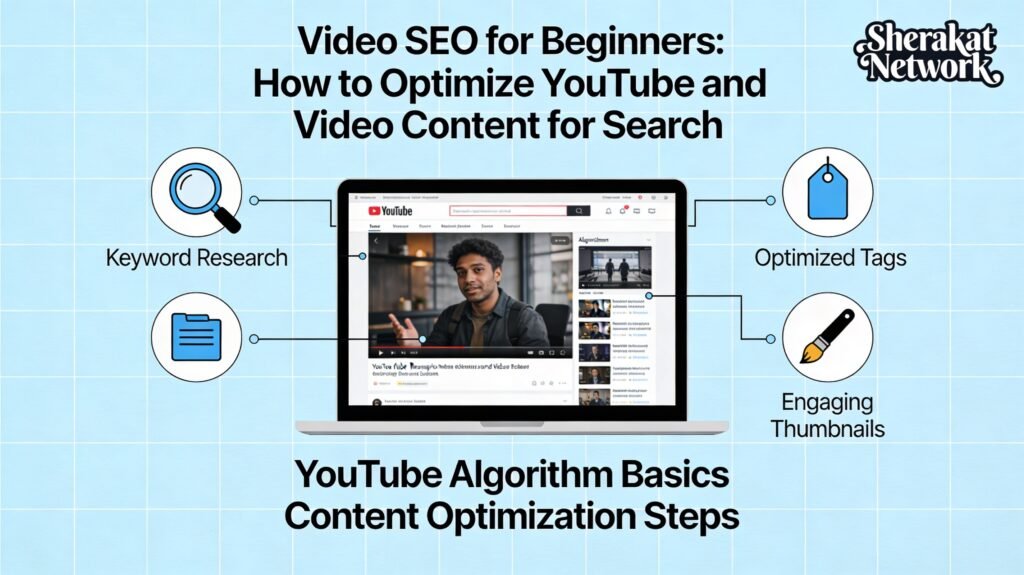
Video SEO requires a systematic approach to keyword research, metadata optimization, content creation, and promotion. Here’s a step-by-step breakdown.
Step 1: Conduct Video Keyword Research
Keyword research for video is similar to the keyword research you’ve already mastered, but with some video-specific considerations.
How to find video keywords:
- Use YouTube’s search autocomplete: Start typing a topic into YouTube’s search bar and note the suggested completions. These are real searches people are making.
- Check YouTube’s “Related searches”: After searching for a topic, scroll down to see what YouTube suggests as related searches.
- Analyze competitor videos: Look at videos in your niche with high views. What keywords are they targeting in their titles? What tags are they using (you can see tags with browser extensions)?
- Use keyword research tools: Tools like Ahrefs, SEMrush, and TubeBuddy offer YouTube-specific keyword data. Free options include Google Keyword Planner and AnswerThePublic.
- Look at comments on popular videos: See what questions viewers are asking. These can inspire video topics.
- Consider search intent: Are people looking for tutorials, reviews, entertainment, or something else? Match your content to intent.
Types of video keywords:
- How-to and tutorial keywords: “How to tie a tie,” “How to bake bread.” These are perfect for instructional videos.
- Review keywords: “iPhone 15 review,” “Best running shoes 2026.” Great for product reviews.
- Comparison keywords: “Nike vs Adidas,” “WordPress vs Shopify.” Comparison content works well in video.
- List-style keywords: “Top 10 travel destinations,” “5 exercises for back pain.” Listicles are popular video formats.
- Question keywords: “What is SEO?” “Why is my phone battery dying?” Question-based content targets voice search and featured snippets.
Step 2: Optimize Your Video Title
Your video title is one of the most important ranking factors. It needs to include your target keyword and compel users to click.
Title best practices:
- Include your primary keyword near the beginning: This helps YouTube and Google understand your video’s topic.
- Make it compelling and clickable: Use power words, numbers, and emotional triggers. “10 Easy Yoga Poses for Beginners” beats “Yoga Video.”
- Keep it under 60 characters: Longer titles may get cut off in search results.
- Be accurate and honest: Clickbait titles that don’t deliver will hurt your watch time and engagement.
- Consider adding brackets or parentheses: “How to Tie a Tie [Easy Step-by-Step Tutorial]” can improve CTR.
Examples:
- Good: “How to Rank #1 on Google: Complete SEO Tutorial for Beginners 2026”
- Good: “iPhone 15 Review: 10 Things You Need to Know Before Buying”
- Poor: “My SEO Video”
- Poor: “CLICK HERE for amazing tips!!!”
Step 3: Create an Optimized Thumbnail
Your thumbnail is often the first thing users see. A great thumbnail can dramatically increase your click-through rate.
Thumbnail best practices:
- Use custom thumbnails, not auto-generated: YouTube auto-generates thumbnails from your video, but they’re rarely optimal. Create custom thumbnails for every video.
- Include a clear focal point: Usually, a person’s face showing emotion works well.
- Use high-contrast colors: Make your thumbnail stand out in search results.
- Include text overlay sparingly: If you use text, make it large and readable, even on small screens. Use 2-4 words maximum.
- Be consistent with branding: Use consistent fonts, colors, or your logo to build brand recognition.
- Ensure accuracy: Your thumbnail should accurately represent your video content. Misleading thumbnails hurt trust and engagement.
Tools for creating thumbnails: Canva, Adobe Express, PicMonkey, or even PowerPoint.
Step 4: Write an Optimized Video Description
Your video description provides context to both viewers and YouTube. It’s an opportunity to include relevant keywords and encourage engagement.
Description best practices:
- Include your primary keyword in the first 1-2 sentences: This is what users see before clicking “Show more.”
- Write a comprehensive description: Aim for at least 200-300 words. Longer descriptions give YouTube more context.
- Include timestamps/chapters: Break your video into sections with timestamps. This improves user experience and can lead to featured snippets in Google.
- Add links to related videos or playlists: Encourage viewers to watch more of your content.
- Include a call-to-action: Ask viewers to like, comment, subscribe, or visit your website.
- Use natural language: Write for humans first, search engines second. Avoid keyword stuffing.
- Include relevant hashtags: YouTube allows hashtags in descriptions. Use 2-3 relevant tags.
Description structure example:
text
In this comprehensive SEO tutorial for beginners, you'll learn how to rank #1 on Google in 2026. We cover keyword research, on-page optimization, technical SEO, and link building.

🔗 LINKS MENTIONED:
- Keyword Research Guide: [link]
- On-Page SEO Checklist: [link]

⏱️ TIMESTAMPS:
0:00 - Introduction
1:30 - What is SEO?
3:45 - Keyword Research Basics
7:20 - On-Page Optimization
12:00 - Technical SEO Overview
15:30 - Link Building Strategies
18:45 - Common SEO Mistakes
21:00 - Conclusion

👍 If you found this helpful, please LIKE and SUBSCRIBE for more SEO tutorials!

#SEO #SEOTutorial #DigitalMarketing
Step 5: Add Relevant Tags
Tags help YouTube understand your video’s topic and context. While less important than titles and descriptions, they still matter.
Tag best practices:
- Start with your primary keyword: Use your main target keyword as the first tag.
- Include variations and related terms: Add synonyms, related phrases, and common misspellings.
- Use a mix of broad and specific tags: For a video about “how to tie a tie,” you might include “tie knot,” “neck tie tutorial,” “how to tie a windsor knot,” etc.
- Don’t overdo it: Use 5-10 relevant tags. More isn’t better; focus on quality.
How to find tags: Analyze competitor videos using tools like TubeBuddy or VidIQ. Look at the tags they’re using (you can see them with browser extensions).
Step 6: Categorize Your Video
YouTube allows you to assign a category to each video (e.g., Education, How-to & Style, Science & Technology). This helps YouTube understand your content and recommend it to relevant audiences.
Category tips:
- Choose the most relevant category for your video.
- Be consistent with your channel’s overall theme.
Step 7: Add Subtitles and Transcripts
Subtitles and transcripts provide a text version of your video’s audio. They’re valuable for accessibility and SEO.
Why subtitles matter:
- Accessibility: Hearing-impaired users rely on subtitles.
- Language options: Viewers can watch in their preferred language.
- SEO: YouTube indexes subtitle files, providing additional text to understand your video.
- Engagement: Some viewers prefer to watch with subtitles, especially in noisy environments.
How to add subtitles:
- Upload your own subtitle file (SRT format).
- Use YouTube’s automatic captioning and then edit for accuracy (auto-captions often make errors).
- Consider creating subtitles in multiple languages to reach global audiences.
Step 8: Create Playlists
Playlists organize your videos into sequences and encourage binge-watching. They can also rank in search results.
Playlist best practices:
- Group related videos: Create playlists around specific topics or series.
- Optimize playlist titles and descriptions: Include relevant keywords.
- Order your videos logically: For tutorials, put them in learning order. For entertainment, put your best content first.
- Feature playlists on your channel page: Make it easy for viewers to find them.
- End screens and cards: Use these to promote your playlists within videos.
Step 9: Use End Screens and Cards
End screens and cards are interactive elements that promote other content. They increase engagement and session duration.
End screens: Appear in the last 5-20 seconds of your video. You can promote other videos, playlists, channels, or ask for subscribers.
Cards: Appear as notifications during your video. They can promote other videos, playlists, channels, or external links.
Best practices:
- Always include end screens to keep viewers watching.
- Use cards strategically to promote relevant content.
- Link to your website or landing pages where appropriate (with external link cards).
Step 10: Encourage Engagement
Engagement signals (likes, comments, shares, subscribes) tell YouTube that viewers value your content.
How to encourage engagement:
- Ask viewers to like and subscribe: Do this early in your video (but not too early) and again at the end.
- Ask questions in your video: Encourage comments by asking for opinions or experiences.
- Respond to comments: Engage with your audience. This builds community and encourages more comments.
- Create controversial or discussion-worthy content: Within your niche, topics that spark discussion can generate comments.
- Run contests or giveaways: Encourage engagement as entry requirements.
Step 11: Optimize Your YouTube Channel
Your channel page is your home on YouTube. A well-optimized channel builds authority and encourages subscriptions.
Channel optimization checklist:
- Channel name: Use your brand name consistently.
- Channel description/About section: Write a comprehensive description of your channel, including relevant keywords. Include links to your website and social media.
- Channel art/banner: Create professional, branded channel art that looks good on all devices.
- Channel trailer: Create a short trailer that introduces new viewers to your channel and encourages subscriptions.
- Playlists: Organize your videos into featured playlists.
- Contact information: Make it easy for business inquiries.
Step 12: Embed Videos on Your Website
Embedding your YouTube videos on your website has multiple benefits. It keeps visitors on your site longer (increasing engagement signals) and provides additional context to Google about your video.
Embedding best practices:
- Embed videos on relevant pages: Place tutorial videos on relevant blog posts, product videos on product pages, etc.
- Add video schema markup: Use VideoObject schema to help Google understand your video content. This can enable rich results in search.
- Create a video sitemap: Submit a video sitemap to Google Search Console to ensure all your videos are discovered.
- Write descriptive text around the video: Add context, transcripts, or summaries.
Step 13: Promote Your Videos
Promotion drives initial views and engagement, which signals quality to YouTube.
Promotion strategies:
- Share on social media: Post your videos to all relevant social platforms.
- Embed in blog posts and email newsletters: Leverage your existing audience.
- Collaborate with other creators: Guest appearances, collaborations, and shout-outs can expose you to new audiences.
- Engage in communities: Share your videos in relevant online communities (Reddit, Facebook groups, forums) where appropriate—but avoid spamming.
- Run YouTube ads: Consider promoting your best content with paid ads to jumpstart views.
Step 14: Analyze Your Performance
Use YouTube Analytics to understand what’s working and what isn’t. This builds on the measurement principles you’ve already learned.
Key metrics to track in YouTube Studio:
- Watch time and average view duration: The most important metrics. Are people watching your videos?
- Impressions and click-through rate: How often are your thumbnails shown, and how often do people click?
- Traffic sources: Where are your views coming from? YouTube search, suggested videos, browse features, external sites?
- Engagement: Likes, comments, shares, and subscribers gained.
- Audience retention: A graph showing where viewers drop off. Use this to improve future videos.
- Revenue: If you monetize, track your earnings.
Why It’s Important
Video SEO isn’t a nice-to-have—it’s essential for reaching modern audiences and maximizing your search visibility.
- YouTube is the Second Largest Search Engine: With billions of searches monthly, YouTube represents a massive traffic opportunity that many businesses overlook.
- Video Dominates SERPs: Google frequently features videos in search results, often above traditional organic listings. Video content can help you claim more real estate.
- Video Builds Trust and Authority: Seeing a person (you) on video builds connection and trust with your audience. This supports the E-E-A-T principles of expertise and trustworthiness.
- Video Keeps Users on Your Site Longer: Embedded videos increase time on page, a positive engagement signal for Google.
- Video Content Can Be Repurposed: A single video can become a blog post, social media clips, an email newsletter, and more—maximizing your content investment.
- Video Appeals to Mobile Users: With mobile traffic dominating, video is a mobile-friendly format that users love.
- Voice Search and Video: Voice assistants often pull video results for how-to queries. An optimized video can capture this traffic.
Sustainability in the Future
Video SEO will continue to evolve. Here’s what the future looks like.
- AI-Generated Video Content: AI tools for creating video content are improving rapidly. The ability to create high-quality video at scale will become easier, increasing competition. Human creativity and authenticity will become even more valuable.
- Short-Form Video Dominance: Platforms like YouTube Shorts, TikTok, and Instagram Reels have made short-form video essential. Optimizing short-form content for search will become increasingly important.
- Interactive Video: Interactive elements within videos (polls, quizzes, choose-your-own-adventure style) may become more common and could influence engagement metrics.
- Visual Search Integration: Google Lens and similar tools allow visual search. Optimizing video content for visual discovery may become a new frontier.
- Personalized Video Recommendations: YouTube’s algorithm will only get better at personalizing recommendations. Building a loyal subscriber base will be crucial.
- E-E-A-T for Video: Google will likely continue to refine how it assesses authority for video content. Channel authority, creator credentials, and content quality will matter more.
Common Misconceptions
Let’s clear up some myths that can waste your time and effort in video SEO.
- Myth: “More views automatically mean higher rankings.”
- Reality: Views alone don’t determine rankings. Watch time, engagement, and audience retention are far more important. A video with 1,000 highly engaged viewers will outrank a video with 10,000 viewers who watch for only 10 seconds.
- Myth: “YouTube tags are the most important ranking factor.”
- Reality: Tags help, but they’re not as important as titles, descriptions, and actual video content. Focus on creating great content first.
- Myth: “I need expensive equipment to succeed.”
- Reality: While good audio and video quality matter, content is king. Many successful channels started with smartphones. Focus on providing value, and upgrade equipment as you grow.
- Myth: “Uploading frequently is the only way to grow.”
- Reality: Consistency helps, but quality trumps quantity. One high-quality video per week is better than five low-quality videos.
- Myth: “YouTube SEO is completely different from Google SEO.”
- Reality: While there are platform-specific factors, the fundamentals are the same: keyword research, understanding user intent, creating valuable content, and optimizing metadata. Your existing SEO knowledge applies.
- Myth: “I can just upload the same video to multiple platforms.”
- Reality: Different platforms have different audiences and best practices. A video optimized for YouTube may need adjustments for TikTok, Instagram, or Facebook. Tailor your content to each platform.
Recent Developments
Video SEO in 2026 is shaped by several key developments.
- YouTube Shorts Optimization: Short-form video continues to explode. Optimizing Shorts with relevant titles, descriptions, and hashtags is essential. Shorts can drive massive subscriber growth.
- YouTube Chapters Auto-Generation: YouTube now automatically generates chapters for some videos using AI. You can override these with your own timestamps for better control.
- AI-Powered Video Creation: Tools like Pictory, Synthesia, and others allow creators to generate video content from scripts or text. While useful, human oversight and authenticity remain critical.
- Podcast Integration: YouTube has become a major platform for podcasts. Optimizing audio content with video elements (static images, waveforms) is a growing opportunity.
- Community Tab Features: YouTube’s Community tab allows creators to post updates, polls, and images, engaging subscribers between video uploads. This builds loyalty and can drive views.
Success Stories
The Tutorial Creator Who Built a Business
A few years ago, I worked with a creator who started a YouTube channel teaching woodworking techniques. He had no video experience, just a passion for woodworking and a smartphone. He followed the principles in this guide: researched what people were searching for (“how to build a table,” “beginner woodworking projects”), created detailed tutorials, optimized his titles and thumbnails, and engaged with his audience.
Within two years, his channel had over 500,000 subscribers. His videos regularly appeared at the top of YouTube search for woodworking queries. He monetized through ads, affiliate links to tools, and eventually his own online courses. What started as a hobby became a full-time business, all because he understood how to make his content discoverable.
The Product Review Channel That Outranked Major Publications
A tech reviewer started a YouTube channel reviewing gadgets. He couldn’t compete with major tech publications on their websites, but he could compete on YouTube. He focused on thorough, honest reviews with excellent production quality. He optimized his videos for search terms like “iPhone 15 review” and “best laptop 2026.”
His videos started ranking on page one of Google for product review terms—often above the major publications. Why? Google recognized that users wanted video content for these queries. His YouTube videos appeared in video carousels and rich results, driving millions of views. He now receives free products from manufacturers eager for his coverage.
Real-Life Examples
Example 1: The Optimized Tutorial Video
Scenario: A cooking channel creates a video about making sourdough bread.
Poor Video SEO:
- Title: “Sourdough Video”
- Thumbnail: Auto-generated blurry frame
- Description: Two sentences
- No tags
- No timestamps
- No end screens or cards
Good Video SEO:
They do the following:
- Title: “How to Make Sourdough Bread: Complete Beginner’s Guide 2026”
- Thumbnail: Custom image of beautiful bread with text overlay “EASY RECIPE.”
- Description: Comprehensive description including recipe, ingredients, step-by-step summary, timestamps, links to related videos, and a call-to-action.
- Tags: sourdough bread, how to make sourdough, sourdough for beginners, bread baking, artisan bread, etc.
- Timestamps: 0:00 Intro, 1:30 Ingredients, 3:45 Mixing the Dough, 7:20 First Rise, etc.
- End screens: Promoting related bread recipes
- Cards: Linking to a video about “How to Maintain a Sourdough Starter.”
Result: The video ranks #1 for “how to make sourdough bread,” gets hundreds of thousands of views, and drives subscribers to the channel.
Example 2: The Product Review Video
Scenario: A tech channel reviews the latest smartphone.
Poor Video SEO:
- Title: “New Phone Review”
- Thumbnail: Blurry screenshot
- Description: “Check out this new phone. It’s pretty good.”
Good Video SEO:
They do the following:
- Title: “iPhone 15 Review: 10 Things You Need to Know Before Buying”
- Thumbnail: High-quality image of the phone with the reviewer’s face showing excitement, text overlay “HONEST REVIEW.”
- Description: Detailed review covering design, camera, battery life, performance, pros and cons, comparison to previous models, and affiliate links to purchase.
- Timestamps for each section
- Links to related reviews (iPhone 15 Pro, iPhone 15 vs Samsung)
- Cards to other tech reviews
Result: The video ranks in YouTube search and appears in Google’s video carousel for “iPhone 15 review.” Viewers trust the honest assessment, and affiliate links generate income.
Example 3: The YouTube Shorts Strategy
Scenario: A fitness channel uses YouTube Shorts to grow.
Strategy:
- Create short (under 60 seconds) workout tips, exercise demonstrations, and motivational clips.
- Optimize Shorts titles with relevant keywords: “How to Do a Perfect Push-Up,” “30-Second Plank Challenge.”
- Use popular music and trends where appropriate.
- Include a call-to-action to watch the full-length video on the channel.
- Post consistently (daily or multiple times per week).
Result: Shorts drive massive views and subscriber growth. Viewers discover the channel through Shorts, then watch longer content. The channel grew from 10,000 to 100,000 subscribers in six months.
Conclusion and Key Takeaways
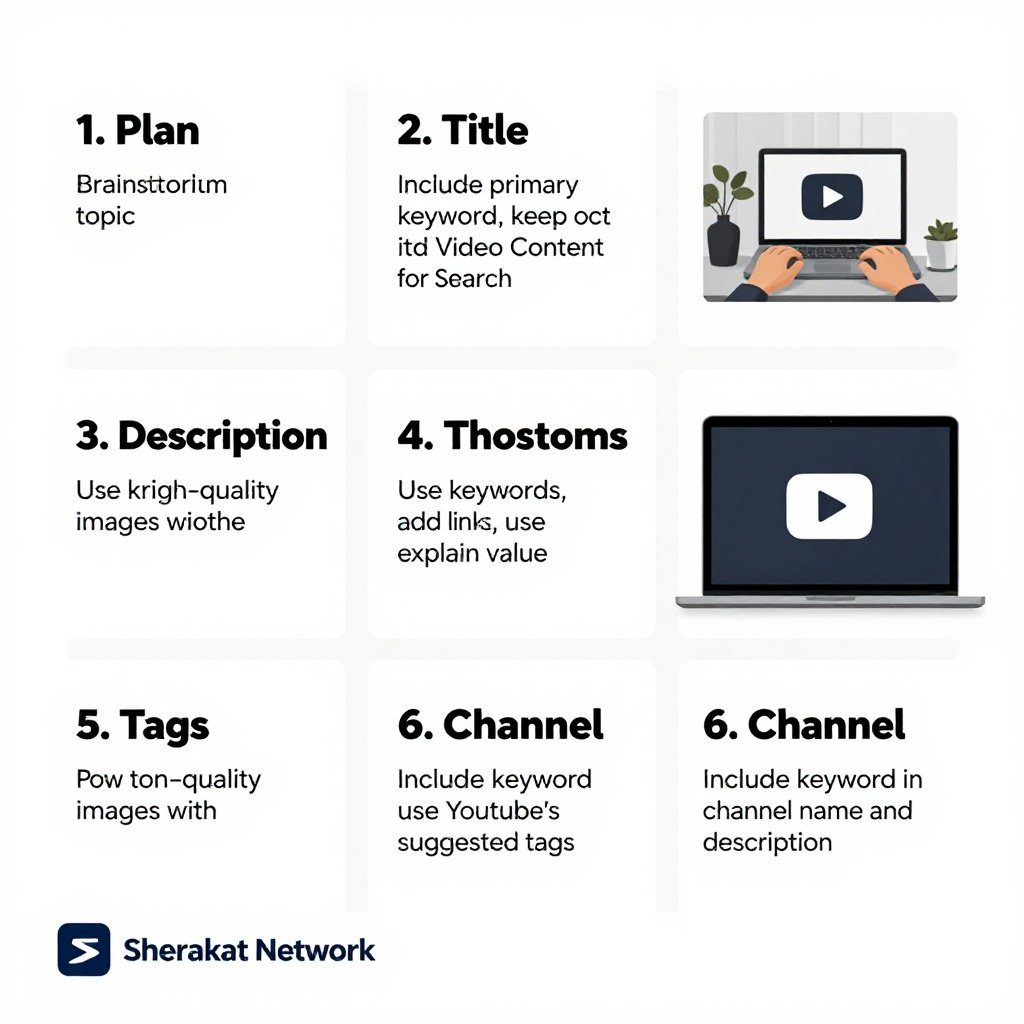
Video SEO is the practice of making your video content discoverable in YouTube and Google search. With YouTube as the second-largest search engine and video dominating search results, mastering video SEO is essential for any comprehensive digital strategy.
You’ve now built an enormous SEO foundation across eleven comprehensive guides. You understand the fundamentals. You can research keywords. You know how to optimize pages. You can fix technical issues. You understand link building and E-E-A-T. You can measure success. You know how to dominate local search. You can optimize e-commerce sites. You understand mobile SEO. And now, you know how to optimize video content.
Key Takeaways:
- Keyword research is the foundation: Understand what people are searching for on YouTube and Google, and create content that matches those queries.
- Titles and thumbnails drive clicks: Optimize both for CTR. Your title should include keywords and compel clicks. Your thumbnail should stand out and accurately represent your content.
- Descriptions provide context: Write comprehensive descriptions with keywords, timestamps, links, and calls-to-action.
- Engagement signals matter: Encourage likes, comments, and subscribes. Respond to comments. Build a community.
- Watch time is critical: Create content that keeps people watching. Hook viewers early, deliver on your promises, and structure videos for retention.
- Playlists increase session duration: Organize your videos into playlists to encourage binge-watching.
- Promote your videos: Share on social media, embed on your website, and collaborate with others.
- Analyze and improve: Use YouTube Analytics to understand what’s working and refine your strategy.
Remember, video SEO is a long-term game. Building a successful channel takes time, consistency, and genuine value. But every optimized video is an asset that can drive views, subscribers, and business results for years to come. Start with your best content, apply these principles consistently, and watch your channel grow.
FAQs (Frequently Asked Questions)
1. What is video SEO?
Video SEO is the practice of optimizing video content to rank in search results—both on YouTube and on Google. It involves keyword research, metadata optimization, content structure, and promotion.
2. Is YouTube SEO different from Google SEO?
While there are platform-specific differences, the fundamentals are the same: understanding user intent, keyword research, creating valuable content, and optimizing metadata. Your existing SEO knowledge applies.
3. How do I find keywords for YouTube videos?
Use YouTube’s search autocomplete, check related searches, analyze competitor videos, use keyword research tools (TubeBuddy, VidIQ, Ahrefs), and look at comments on popular videos.
4. What’s the most important factor for YouTube rankings?
Watch time (total watch time and average view duration) is widely considered the most important factor. YouTube wants to keep people on its platform, so videos that hold attention rank higher.
5. How important are thumbnails?
Extremely important. Thumbnails are the first thing users see and heavily influence click-through rate. Custom, high-quality thumbnails with clear focal points and contrasting colors perform best.
6. How long should my video description be?
Aim for at least 200-300 words. Longer descriptions give YouTube more context about your video. Include your primary keyword in the first 1-2 sentences.
7. Do tags still matter for YouTube SEO?
Yes, but they’re less important than titles, descriptions, and actual video content. Use 5-10 relevant tags, starting with your primary keyword.
8. What are YouTube chapters, and why should I use them?
Chapters (timestamps) break your video into sections. They improve user experience, can appear in search results, and help with featured snippets on Google.
9. Should I add subtitles to my videos?
Yes. Subtitles improve accessibility, provide additional text for YouTube to index, and allow viewers to watch in noisy environments or in different languages.
10. What are playlists, and how do they help SEO?
Playlists are collections of videos on a specific topic. They encourage binge-watching (increasing session duration), can rank in search, and help organize your content.
11. How do I get more views on YouTube?
Create valuable content that people want to watch, optimize for search, use compelling thumbnails, promote on other platforms, engage with your audience, and be consistent.
12. What’s the ideal video length for SEO?
There’s no single ideal length. Create videos that fully cover your topic. For tutorials, longer, comprehensive videos often perform well. For entertainment, shorter may be better. Focus on keeping viewers engaged, not hitting a specific length.
13. How do I optimize for YouTube Shorts?
Use relevant titles and descriptions, include popular hashtags, follow trends where appropriate, and use Shorts to drive viewers to your longer content.
14. What are end screens and cards?
End screens appear at the end of your video, promoting other content. Cards appear as notifications during your video. Both increase engagement and session duration.
15. How do I get my videos to appear in Google search results?
Embed videos on your website with relevant text, add video schema markup, create a video sitemap, and submit it to Google Search Console.
16. What is video schema markup?
It’s structured data that helps Google understand your video content. It can enable rich results in search, including thumbnails, duration, and publication date.
17. How do I create a video sitemap?
Use tools like Yoast SEO (if you’re on WordPress) or online sitemap generators. Your video sitemap lists all your videos with metadata (title, description, thumbnail, duration).
18. How long does it take to rank on YouTube?
It varies. Some videos rank quickly (days), others take months. Factors include competition, video quality, optimization, and channel authority. Consistency helps.
19. Should I upload videos to multiple platforms?
Yes, but tailor your content to each platform. A YouTube video may need to be edited differently for TikTok, Instagram, or Facebook. Don’t just cross-post the same content.
20. How important are subscribers?
Subscribers are important for building a loyal audience and initial views. YouTube also considers subscriber engagement as an authority signal.
21. What is audience retention, and why does it matter?
Audience retention shows where viewers drop off during your video. High retention signals engaging content. Use the retention graph to improve future videos.
22. How do I deal with negative comments?
Respond professionally and constructively. Delete spam or genuinely abusive comments, but engage with constructive criticism. How you handle comments reflects on your brand.
23. Can I rank a video without showing my face?
Yes. Many successful channels use screen recordings, animations, stock footage, or voiceovers. Focus on providing value in whatever format works for your topic.
24. What’s the biggest mistake beginners make in video SEO?
The biggest mistake is neglecting optimization altogether—uploading videos with poor titles, generic thumbnails, and minimal descriptions. Treat every video as an opportunity to be found.
25. How do I measure video SEO success?
Track watch time, average view duration, impressions, CTR, traffic sources, engagement (likes, comments, subscribers), and rankings for target keywords. Use YouTube Analytics.
About Author
Sana Ullah Kakar is a seasoned digital marketing strategist and SEO consultant with over a decade of experience helping businesses establish and scale their online presence. As the lead content contributor for the Sherakat Network, Sana specializes in translating complex digital marketing concepts into actionable strategies for entrepreneurs and professionals across the Middle East and beyond. His approach is rooted in data-driven decision-making and a deep understanding of how evolving search technologies impact real-world business growth. When he’s not analyzing search trends or mentoring the next generation of marketers, Sana is exploring the intersection of technology and human behavior to build more authentic and effective online experiences.
Free Resources
To help you implement everything we’ve covered, here are valuable free resources:
- YouTube Studio: Your dashboard for analytics and optimization. (https://studio.youtube.com/)
- Google’s YouTube SEO Guide: Official best practices from Google. (Search “YouTube SEO Google guide”)
- TubeBuddy Free Plan: Browser extension with keyword research and optimization tools. (https://www.tubebuddy.com/)
- VidIQ Free Plan: Another excellent YouTube optimization tool. (https://vidiq.com/)
- Canva: Free tool for creating custom thumbnails. (https://www.canva.com/)
- AnswerThePublic: Find questions people ask for video topics. (https://answerthepublic.com/)
- Google Trends: See what topics are trending. (https://trends.google.com/)
- YouTube’s Creator Academy: Free courses on growing your channel. (https://creatoracademy.youtube.com/)
- Submagic: Free tool for generating subtitles (limited free version). (https://www.submagic.co/)
- Google’s Structured Data Testing Tool: Test your video schema markup. (https://search.google.com/test/rich-results)
For more in-depth resources, explore the complete Sherakat Network SEO for Beginners series:
- Start with the SEO Fundamentals in 2026
- Master Keyword Research for Beginners
- Follow the Complete On-Page SEO Checklist
- Get your site healthy with Technical SEO for Beginners
- Build authority with Link Building for Beginners
- Understand quality with E-E-A-T Explained
- Track progress with Measuring SEO Success
- Dominate locally with Local SEO for Beginners
- Optimize your store with SEO for E-commerce
- Master mobile with Mobile SEO for Beginners
Then, continue your journey:
- Browse our Resources page for tools and templates
- Read the latest insights on our Blog
- Learn how to Start an Online Business in 2026
- Explore more SEO articles
- Understand Business Partnership Models
Expand your knowledge with these external resources:
- Mental Health: The Complete Guide to Psychological Wellbeing
- Global Supply Chain Management: The Complete Guide
- Artificial Intelligence & Machine Learning
- Remote Work Productivity
- Climate Policy & Agreements
- Culture & Society
Discussion
Now I’d love to hear from you. Have you started a YouTube channel or created video content for your website? What’s been your biggest challenge with video SEO? Have you seen success with any of the strategies covered here?
Share your experiences, questions, and insights in the comments below. Let’s learn from each other’s journeys in making video content discoverable and successful.
If you need personalized help with your video SEO strategy or have a specific project in mind, don’t hesitate to contact us. We’re here to help you succeed.
Thanks for addressing this topic—it’s so important.
i really enjoy reading such a greate article, keep up the wonderful work, check out my site at eiffeltower-ticketparis.com